Translate and localize SRT files without changing timings
Developer resources
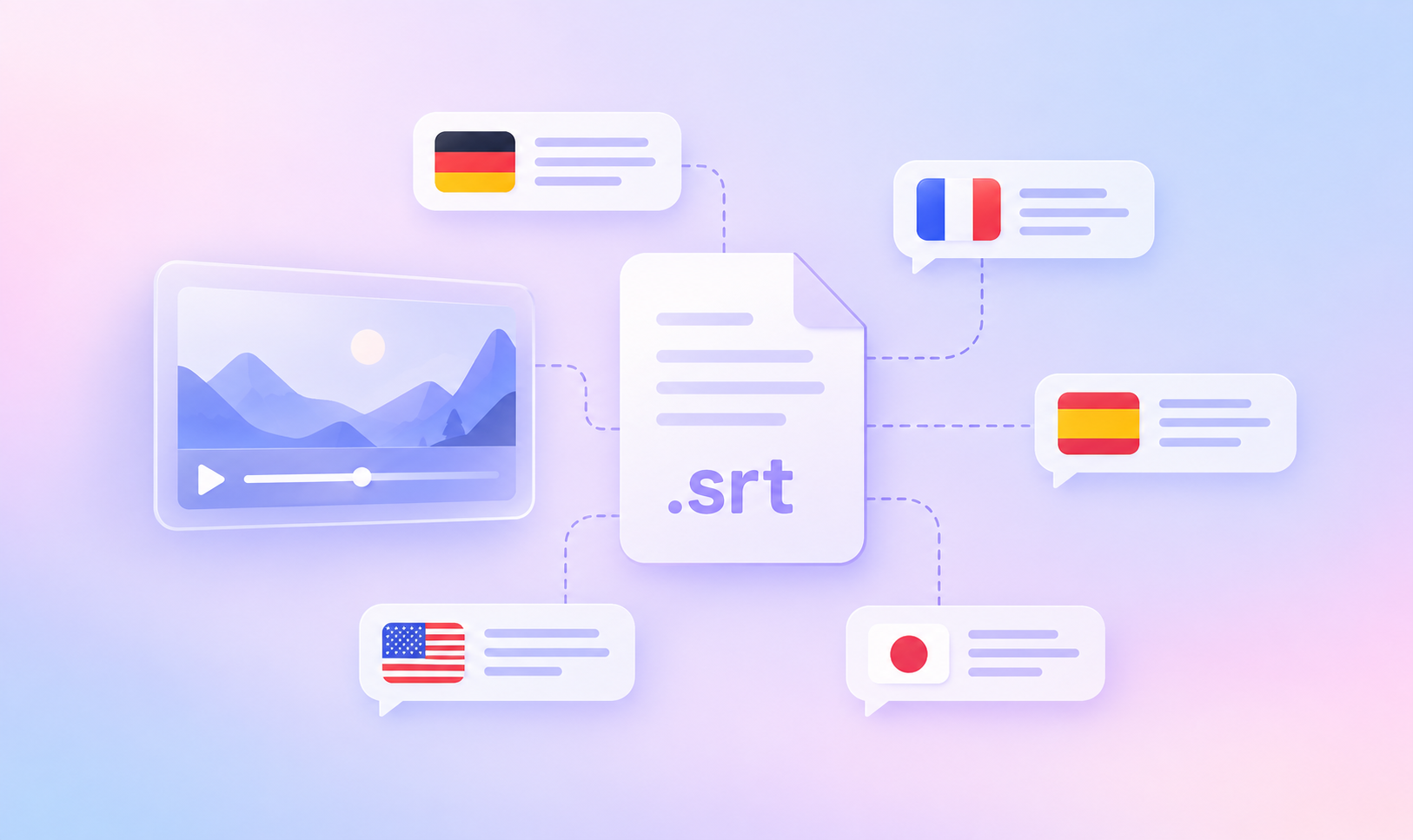
Table of content

Subtitling one video in eight languages means managing eight SRT files that all need to stay perfectly aligned with the same audio. While the subtitle text changes from language to language, the timestamps and structure need to remain intact. Even a small formatting mistake can cause subtitles to appear at the wrong moment or prevent a player from reading the file correctly.
This guide explains how the SRT file format works and how to handle it safely throughout the localization process. You’ll learn what matters when creating, editing, and translating SRT files, including how to preserve timings, avoid formatting and encoding issues, and keep multilingual subtitles technically valid.
SRT stands for SubRip Subtitle, after SubRip, a Windows program that extracted subtitles from DVDs. The file is plain text, with no video and no audio.
It is a sidecar file: it sits beside the video rather than inside it, and the player pairs the two at playback. Subtitles delivered this way are soft subtitles, because the viewer can switch them on, off, or to another language. Hard subtitles, also called “burned-in”, are drawn permanently into the frames and no viewer can remove them.
One property explains most of the surprises below: SRT has no formal specification. Subtitle Edit’s SubRip format reference states it plainly, and the Matroska technical subtitle documentation is the closest thing to a normative description. The format is defined by what players accept, which is why two programs can disagree about the same file.
Subtitles assume the viewer can hear the audio and need the dialogue in another language. Captions assume they cannot, and add speaker labels and sound cues. WCAG 2.2 Success Criterion 1.2.2 makes captions for prerecorded video a “Level A” obligation. SRT carries either.
An SRT file is a sequence of blocks, each with four components in a fixed order:
1                                 <- sequence number
00:00:01,000 --> 00:00:04,000     <- timecode: start, arrow, end
Welcome to the product tour.      <- subtitle text, one or two lines
                                  <- blank line closes the block
A complete three-block file, including a multi-line subtitle:
1
00:00:01,000 --> 00:00:04,000
Welcome to the product tour.

2
00:00:04,500 --> 00:00:09,200
Start by connecting your repository.
Everything else follows from that step.

3
00:00:09,700 --> 00:00:13,000
Your translations sync automatically.
Component | Example | Rules |
|---|---|---|
Sequence number |
| Integer on its own line, starting at 1 |
Timecode |
|
|
Subtitle text |
| One or two lines |
Blank line | (empty) | Mandatory. It ends the block |
The blank line is not cosmetic: it is a parser’s only signal that a subtitle has ended, and the final block needs one too.
The timecode is the part of the SRT subtitle file format that most often stops a player, because the rules are strict and nothing in the file announces them.
Every field is zero-padded: hours to at least two digits, minutes and seconds to exactly two, milliseconds to exactly three. 00:01:05,400 is valid and 0:1:5,4 is not. The decimal separator is a comma, the most common thing people get wrong when converting by hand from WebVTT, where it is a period. The arrow is two hyphens and a right angle bracket with one space on each side.
Across blocks, the end time must be later than the start, and blocks should run in ascending time order. Overlapping blocks are accepted by some players and rendered unpredictably by others.
Sequence numbers are more forgiving: most parsers use them for ordering rather than identity, and a file with a gap usually still plays. Renumber from 1 after an edit anyway.
What is in the file | What you see | Fix |
|---|---|---|
Period instead of comma ( | Block skipped or file fails to load | Use a comma |
Missing space around the arrow | Timecode unrecognized, subtitle never appears | Add the spaces |
Byte order mark before the first | First subtitle missing, rest play | Save UTF-8 without a BOM |
No blank line between blocks | Two subtitles merge, stray number in the text | Insert the blank line |
End time earlier than start | Subtitle flashes or is dropped | Fix the end timestamp |
Non-monotonic block order | Subtitles appear out of order | Sort by start time, renumber |
Empty text body | Blank subtitle occupies the slot | Delete it or add text |
Mixed CRLF and LF line endings | Intermittent parse failures | Normalize line endings |
An SRT file carries no declaration of its own encoding: no header, no attribute. The program opening it guesses, and a wrong guess produces mojibake: Привет where Russian text should be, or question marks where Arabic should be.
Save every SRT file as UTF-8 without a byte order mark. UTF-8 covers every script in one file, which legacy code pages cannot do: Windows-1252 carries Western European text, Windows-1251 carries Cyrillic, and neither holds both. RFC 3629 permits the BOM but does not recommend it, and some players read those three leading bytes as part of the first sequence number and lose the opening subtitle. Avoid UTF-16; a save-as dropdown offers it and many players will not read it.
On macOS and Linux, file -I subtitles.srt reports the encoding a file appears to use, and iconv -f WINDOWS-1251 -t UTF-8 in.srt > out.srt converts a legacy file.
SRT supports a small set of HTML-like inline tags in the subtitle text: <b>, <i>, <u>, and <font color="#ffff00">. Support varies by player; italic works everywhere.
4
00:00:14,000 --> 00:00:17,500
<i>She turns to the camera.</i>
This is the last step.
Two things you will see described as SRT formatting are not. Brace notation such as {b} comes from the ASS and SSA formats, and most players ignore it in an .srt file. The X1: X2: Y1: Y2: positioning extension is a real SubRip addition that most parsers ignore, including ffmpeg’s and every browser path.
That is the honest boundary. SRT has no positioning, no styling beyond those tags, no metadata fields, and no logic for plurals or variables. A project needing positioning or styling wants WebVTT or TTML.
Most subtitle editors and transcription services create SRT file exports directly, the sensible path for anything longer than a few minutes. Writing one by hand makes every rule above concrete.
Open a plain-text editor. TextEdit on macOS needs Format, then Make Plain Text; a word processor invalidates the file.
Type 1, a newline, then the start timecode, -->, and the end timecode.
On the next line, type the subtitle text, then a blank line.
Repeat for each subtitle, incrementing the number, and save as .srt in UTF-8 without a BOM.
ffprobe subtitles.srt reports the stream if the file is readable, and ffmpeg -i subtitles.srt -f null - surfaces parse warnings per block; both are covered in the ffmpeg documentation.
As a sidecar file. Same base name as the video, same folder: product-tour.mp4 and product-tour.srt. VLC and similar players load it automatically; for several languages, insert a language code (product-tour.de.srt).
Uploaded to a platform. YouTube accepts .srt, listed in YouTube’s caption file documentation, as do Facebook and LinkedIn.
In a browser. The exception that catches people. MDN’s <track> reference documents WebVTT as the format for text tracks, and an .srt file served to a <track> element does nothing. Convert first: ffmpeg -i subtitles.srt subtitles.vtt.
Muxed into the container. Packages the subtitle stream inside the video file, still switchable: ffmpeg -i video.mkv -i subs.srt -c copy -c:s srt out.mkv. For MP4 the codec is mov_text. The subtitles filter burns text permanently into the picture instead.
Delivery method | Format accepted | Subtitles are |
|---|---|---|
Sidecar beside the video |
| Selectable |
YouTube, Facebook, LinkedIn |
| Selectable |
HTML5 | WebVTT only | Selectable |
Muxed into MKV or MP4 |
| Selectable |
Burned in with the subtitles filter |
| Permanent |
Format | Styling and positioning | Browser | Where it fits |
|---|---|---|---|
SRT | Inline tags only | No | Interchange. Widest tool support |
WebVTT | Cue settings, | Yes | Web and HTML5 players |
TTML / IMSC | Full XML styling and layout | No | Broadcast and streaming |
SCC | Fixed broadcast styling | No | US broadcast closed captions |
WebVTT is the closest relative and the usual destination: a WEBVTT header, then cues separated by blank lines, with a period before the milliseconds. The W3C WebVTT specification is a Candidate Recommendation Draft, and LingoHub handles VTT as its own resource type (VTT developer docs). Author and archive in SRT; generate WebVTT at build time.
When translating an SRT file, only the subtitle text should change. Keep the sequence numbers and timecodes exactly as they are so that every translated subtitle stays aligned with the original video.
2
00:00:04,500 --> 00:00:09,200
Start by connecting your repository.
Everything else follows from that step.
2
00:00:04,500 --> 00:00:09,200
Verbinden Sie zuerst Ihr Repository.
Alles Weitere ergibt sich daraus.
Same index, same timing, different text. That is the shape of a correct subtitle translation.
This can make translation more challenging because some languages need more space to express the same message. German and Spanish translations of English content, for example, can be 20 to 30 percent longer. Since the subtitle still has to fit within the existing time window, translators may need to shorten or adapt the wording rather than translate it literally.
The BBC Subtitle Guidelines recommend 160 to 180 words per minute, roughly 0.3 seconds of screen time per word, and describe fixed character-count limits as a crude control rather than the rule. Netflix’s timed-text style guide sets 42 characters per line for Latin scripts. Both assume a Latin script; Chinese, Japanese, and Korean pack more meaning into the same count and need their own limits.
Re-timing is legitimate when the subtitles are the only timed asset, and not when the file is synchronized against a dubbing track or on-screen graphics, where a shifted timestamp desynchronizes everything downstream.
SRT has no direction attribute. An Arabic or Hebrew line is rendered entirely by the player’s implementation of the Unicode Bidirectional Algorithm, working from the characters themselves.
The resulting failure is easy to recognize. A line of Arabic ending in ! or ?, or containing a Latin-script product name, renders with that punctuation or name at the wrong end of the line. The algorithm resolves a neutral character’s direction from its surroundings, and at the edge of a line it has nothing to work from.
Wrap the ambiguous run in bidi isolate characters, U+2066 to U+2069, covered in the W3C guidance on bidi control characters; deprecated embedding controls should not be used for new content. Test in a real player: a text editor applies its own bidi handling and will show you something the viewer never sees.
Managing SRT files becomes more complex as the number of videos and languages grows. With dozens of files in circulation, small inconsistencies such as a missing subtitle block, an edited timecode, or the wrong encoding can cause problems across the entire subtitle set.
Most of these issues can be caught automatically in CI with four checks:
Block-count parity: Every target file should contain the same number of blocks as the source.
Timecode parity: All target timecodes should match the source exactly.
Encoding: Files should use UTF-8 without a BOM.
Tag integrity: Formatting tags such as <i> should remain complete and properly closed in the translated file.
Use BCP 47 language tags in file names, such as product-tour.en-US.srt and product-tour.ar.srt. This makes each language and locale clear to video players, build scripts, and anyone working with the files.
LingoHub handles SRT as a resource type, and the way it reads the format keeps the timing safe. According to the SRT developer documentation, LingoHub parses each block into its four components and uses the timecode range as the segment key. The timing identifies the segment: a translator sees the text of one subtitle and edits that text, with no cursor near a timestamp. Both the comma and the period are accepted as the millisecond separator, which absorbs files that passed through WebVTT.
The rest of the workflow applies to subtitles as to any other resource. LingoHub connects to your repository, pulls changed segments, and opens a pull request when translations are ready. Quality checks flag missing translations and inconsistent terminology, a Glossary keeps product names identical between subtitles and interface, and AI translation produces a first pass across 100+ languages, routing uncertain segments to a human reviewer.
Mux them in as a separate stream, copying the video through untouched: ffmpeg -i video.mkv -i subs.srt -c copy -c:s srt out.mkv. No quality loss, and the viewer can still switch subtitles off. Only burning them in requires a re-encode.
Import it into a localization platform rather than pasting blocks into a chat window. In LingoHub each subtitle becomes a segment keyed by its timecode range, AI translation produces the first pass, and a reviewer corrects it in place. Timecodes are never part of the translatable text.
Edit only the text lines, leave the sequence number and timecode exactly as they are, and confirm the translated file has the same block count and identical timecodes. A tool that treats the timecode as the segment key removes the risk.
Any text editor, because the file is plain text. A dedicated subtitle editor is a better fit for editing against the video.
The format can carry compliant captions, but the content decides. WCAG asks for captions conveying dialogue and relevant sounds, which means speaker labels and sound cues. A file holding only translated dialogue is a subtitle track; captions need the speaker labels and sound cues as well.
An SRT file is four components repeated: a number, a timecode, some text, and a blank line. Most of what goes wrong traces back to one of them, and what goes right in translation comes from leaving three of the four alone. Save as UTF-8 without a BOM, keep the comma before the milliseconds, convert to WebVTT for the browser, and treat timecodes as fixed.
LingoHub brings translation files, repository updates, quality checks, and reviews into one workflow to help you manage subtitle localization as your video library grows.
Start a free 14-day trial to try LingoHub with your own SRT subtitle files. Or book a demo to discuss your requirements with our team.

Flutter i18n: a complete guide to localization in production apps
A step-by-step Flutter i18n guide: set up flutter_localizations and intl, structure ARB files, handle plurals, dates, iOS config, and team workflows.

i18n resource file formats
Applications across platforms use .ini files, but no standard exists. Learn how to use .ini files effectively for i18n in our latest blog overview.
i18n resource file formats: ini files
Applications across platforms commonly use .ini files, but no standard exists. Read our blog to learn best practices for using .ini files in i18n.
i18n resource file formats: iOS .strings files
Read our blog post about localization resource file formats, focusing on .strings files used across Apple devices like iPhone and iPad. Learn more!
)