






Skip to content

Know what will miss the release before it misses the release

Status, QA fails, untranslated keys, review load, in one view. No CSV email rounds.

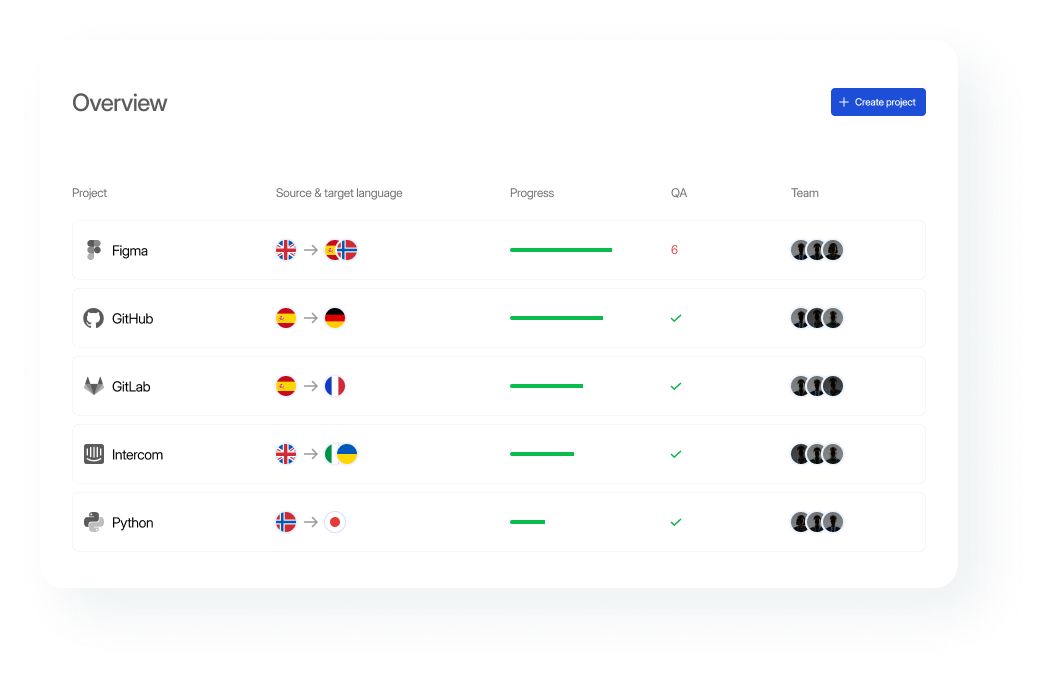
Dashboard displaying language project progress for Figma, GitHub, GitLab, Intercom, and Python, with flags, progress bars, and team members.

What you get as a manager

1

See project status, untranslated content, and review progress from one place.


2

Use dashboards, filters, groups, and labels to find the work that needs attention.


3

Keep translation questions, assignments, and notifications connected to the project.


4

Track activity and changes with clear work reports.


5

Catch terminology and quality issues before localized content moves forward.
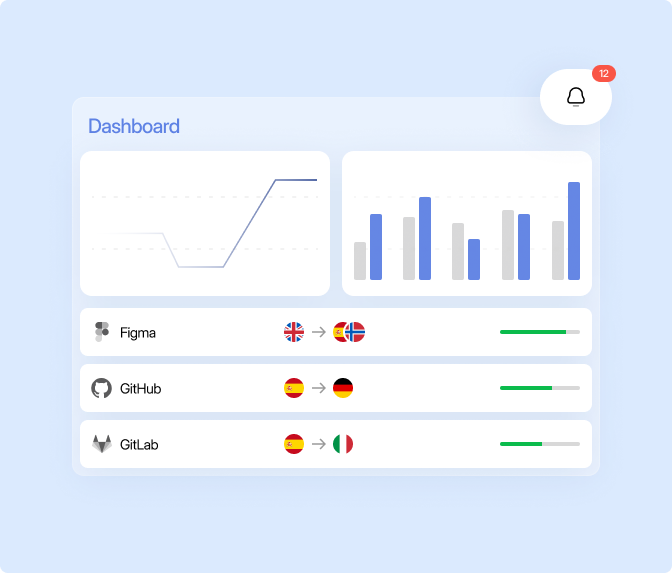
Dashboard with line and bar graphs, three platforms showing language translations, and an alert notification with 12 unread messages.

Built for localization managers & project owners

See what needs attention before the release

Track progress across projects and languages, then focus your team on the work that still needs attention.

1

Labels & filters: Find specific content and apply actions across selected strings.


2

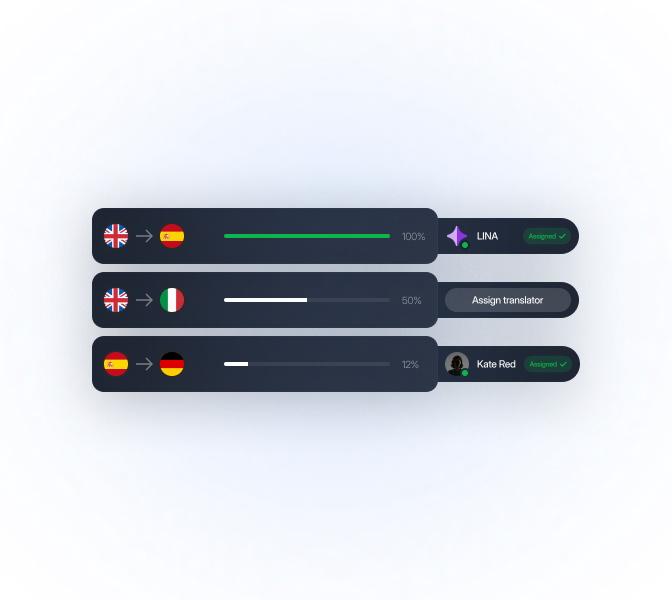
Project dashboards: See translation progress and activity across languages.


3

Backups: Restore projects from protected backups when needed.

LingoHub dashboard showing localization progress, language assignments, and project status

Keep quality visible throughout the workflow

Give your team shared terminology and writing rules while quality checks flag content that needs attention.

1

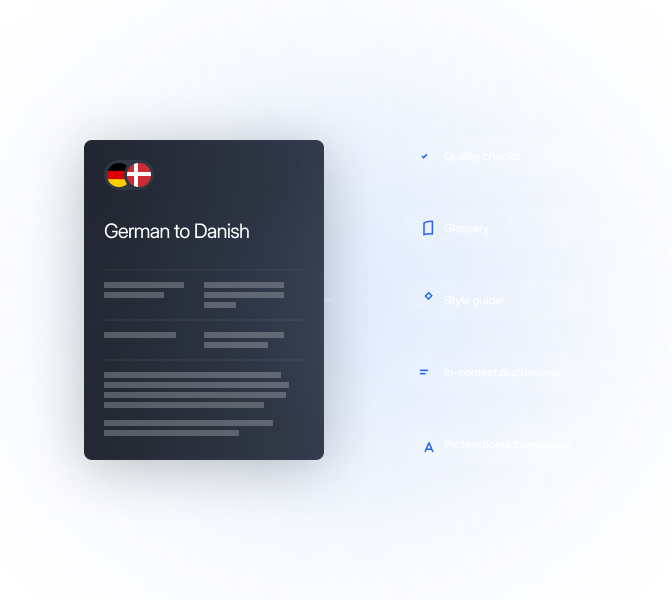
Quality checks: Flag terminology, formatting, placeholder, and other translation issues.


2

Glossaries & style guides: Give LINA and reviewers the same terminology and writing rules.


3

In-context discussions: Resolve questions where the translation work happens.

LingoHub quality workflow with quality checks, glossary, style guide, and discussions

Keep teams and tools connected

Give everyone the access they need and keep project updates visible without moving coordination into separate tools.

1

Integrations: Connect localization with the tools your product team already uses.


2

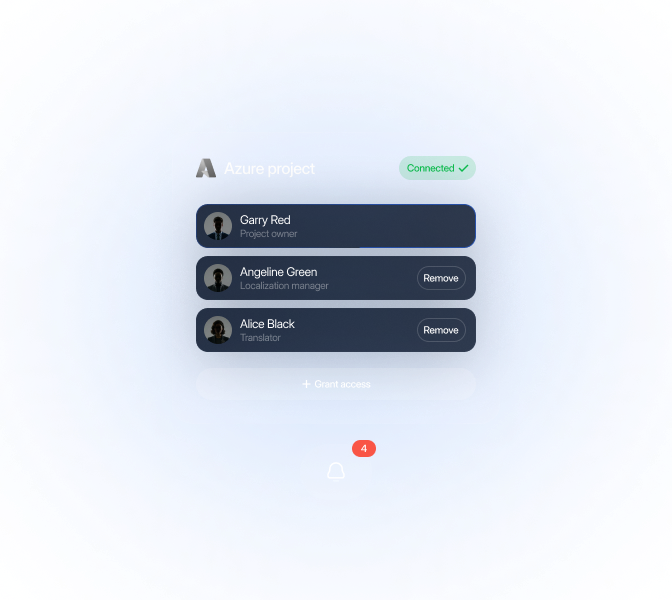
Role-based permissions: Control who can manage projects, translate content, and review changes.


3

Notifications: Keep team members informed when localization work needs their attention.

LingoHub team management with project roles, permissions, integrations, and notifications

Keep usage and budgets visible

See how localization capacity is being used and keep project activity available for reporting.

1

Work reports: Review localization activity and completed work across projects.


2

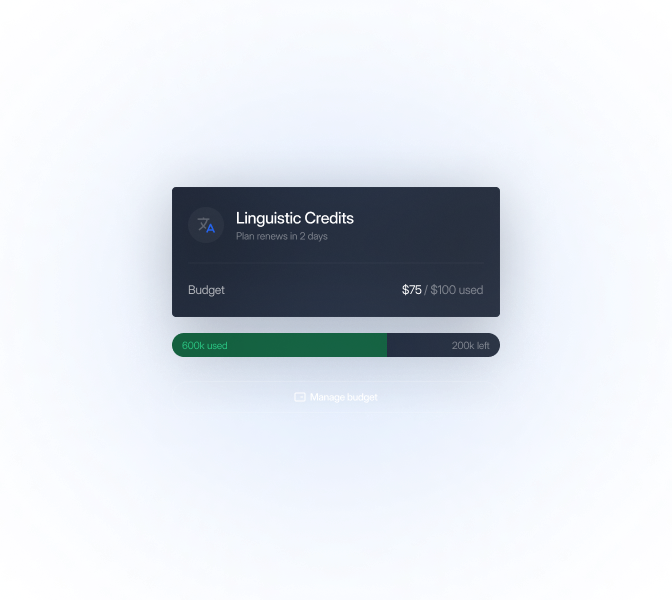
Usage tracking: See linguistic credit usage and remaining capacity at a glance.


3

Budget controls: Set and manage linguistic credit budgets as localization needs change.

LingoHub linguistic credits dashboard showing budget usage and remaining capacity

Integrations that fit your localization workflow

Connect localization to the tools your team already uses and keep project progress visible from one workflow.

"LingoHub makes translation management much easier for our team. It helps me keep track of progress, stay organized across languages, and spend less time on manual coordination."

Daniel W.

Localization Project Manager, Computer Software

Bring your localization team on board

For developers

Connect localization to Git, releases, and the development tools your team already uses.

For marketers

Keep campaign language and product terminology aligned across channels.

For enterprises

Manage localization with roles, audit trails, security, and deployment options for larger organizations.

Language you can ship. Start localizing now.

Free 14-day trial. No credit card required

Glossary, translation memory, and QA on every string.

LINA drafts. Your team approves what matters.

Language you can ship.

Everything you need to know about project management in LingoHub

Got questions? We have the answers.

Does LingoHub support role-based access for large teams?

Expand FAQ-entry Icon

Yes. LingoHub uses a two-level hierarchy, Workspace and Project, to provide granular control. You can assign specific roles like “Admin” or “Localization Manager”, and scope permissions down to individual languages to maintain data security.

How does LingoHub help meet tight release deadlines?

Expand FAQ-entry Icon

LingoHub accelerates your time-to-market by replacing manual file handling with direct CI/CD and repository integrations. Automated workflows that combine AI orchestration with instant quality checks shorten review cycles and prevent technical errors from delaying releases.

Can I integrate external translation agencies into my LingoHub workflow?

Expand FAQ-entry Icon

Absolutely. You can add unlimited external translators, allowing you to scale your team without increasing software costs. For high-volume needs, you can also order professional translations directly within the app with transparent, per-word pricing.

How do I maintain control over my localization budget in LingoHub?

Expand FAQ-entry Icon

LingoHub provides complete financial transparency and proactive spending control through several integrated tools:

  • Customizable budgets: Set specific limits to monitor and control costs for character usage.

  • Instant estimates: Receive transparent price quotes for professional translation orders during checkout to ensure budget alignment before any work begins.