Localization platforms with GitHub and GitLab integration
Developer resources
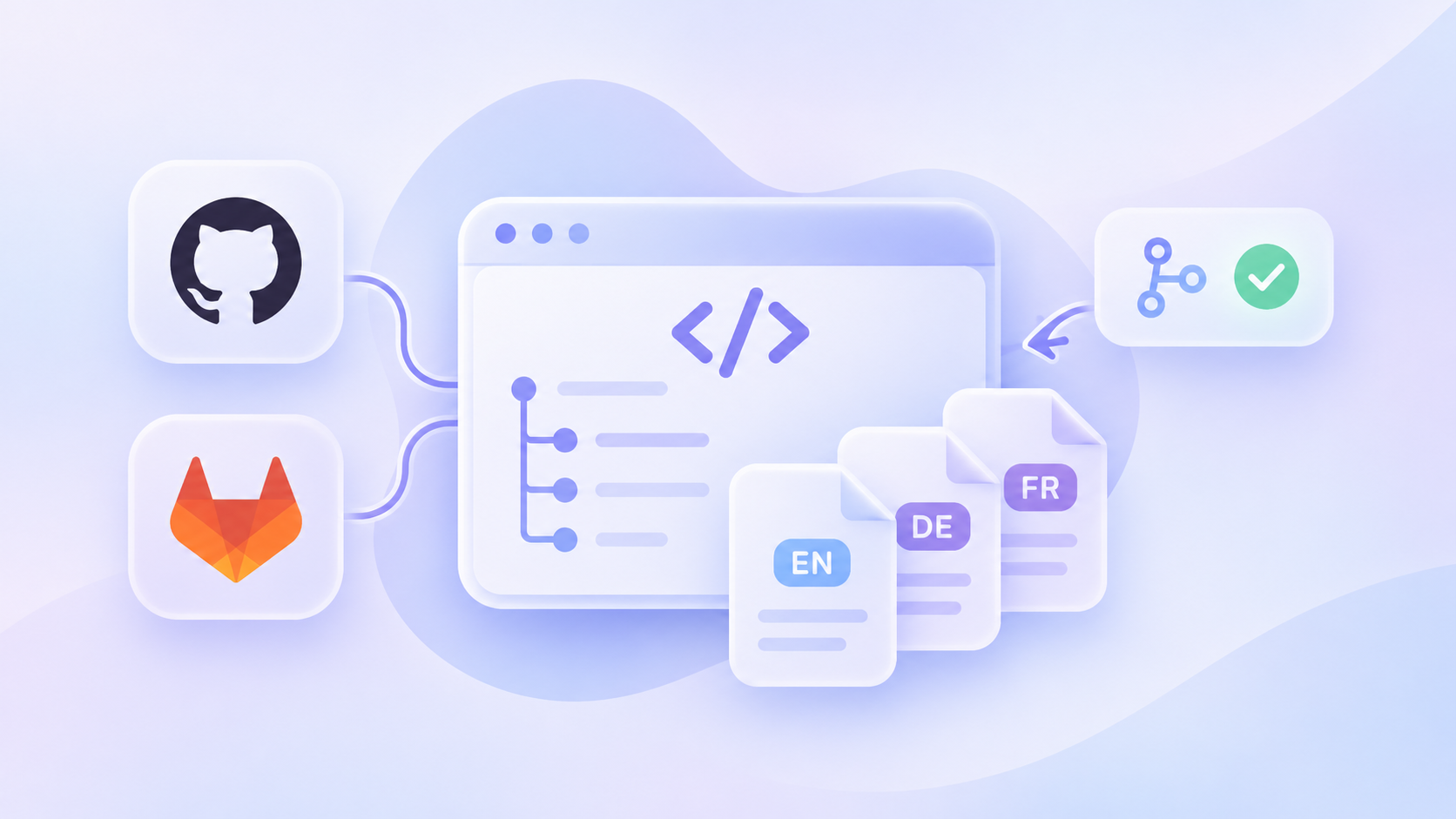
Table of content

If your code lives on Bitbucket or Azure DevOps, finding the right localization platform isn’t always straightforward. Most comparison lists focus on GitHub integrations, leaving you to figure out whether a tool supports your existing setup.
And the differences matter. Nine of the 11 platforms we compared offer native GitHub integrations, but only six support Azure DevOps. LingoHub is the only platform on our list with native integrations for all five major Git hosting services, including AWS CodeCommit.
The right localization platform should fit into your development workflow, not the other way around. Here’s how the 11 tools compare, from repository connections to getting translated strings back into your code.
Not every Git integration works the same way. Some platforms connect directly to your repository, automatically syncing new strings and returning translations. Others require you to set up and maintain the process through your own CI/CD pipeline.
In the comparison below, Yes means the platform offers a native integration: you connect your Git account, select a repository and configure the sync. CLI means you use the platform’s command-line tool to manage translations within your own pipeline.
Platform | GitHub | GitLab | Bitbucket | Azure DevOps | CodeCommit | Comes back as |
|---|---|---|---|---|---|---|
LingoHub | Yes | Yes | Yes | Yes | Yes | PR or commit |
Crowdin | Yes | Yes | Yes | Yes | Not listed | PR |
Lokalise | Yes | Yes | Yes | Yes | Not listed | PR |
Phrase Strings | Yes | Yes | Yes | Not listed | Not listed | PR |
Transifex | Yes | Yes | Yes | Yes | Not listed | PR or commit |
Weblate | Yes | Yes | Yes | Yes | Any Git URL | PR or push |
POEditor | Yes | Yes | Yes | Yes | Not listed | Commit |
Smartcat | Yes | Yes | Yes | Not listed | Not listed | Push |
Smartling | Yes | Self-run | Self-run | Not listed | Not listed | PR on GitHub |
Localazy | CLI | CLI | CLI | CLI | CLI | Your CI |
Tolgee | CLI | CLI | CLI | CLI | CLI | Your CI |
A few things to know:
PR: Pull request, or merge request on GitLab.
Self-run: A connector you host and maintain yourself.
Not listed: The vendor’s documentation doesn’t mention a dedicated integration for that Git host.
Your CI: Your own CI/CD pipeline handles the synchronization.
The biggest difference isn’t simply which Git hosts a platform supports. It’s how much work your developers need to do to keep translations moving between the repository and the localization platform.
Please note: This comparison reflects publicly available information as of November 19, 2026. Integrations, features and pricing may change. We excluded Lilt (enterprise AI translation), XTM Cloud (whose software localization offering is represented here by Transifex), and smaller tools such as Localizely, Localize, GitLocalize, Lingo.dev and SimpleLocalize.
Best for: Software teams using GitHub, GitLab, Bitbucket, Azure DevOps or AWS CodeCommit that want to automate translation without changing how they manage their code.
Your developers push a commit, new strings appear in LingoHub, and translated content makes its way back to the repository. No copying files between tools or manually checking whether translations are ready.
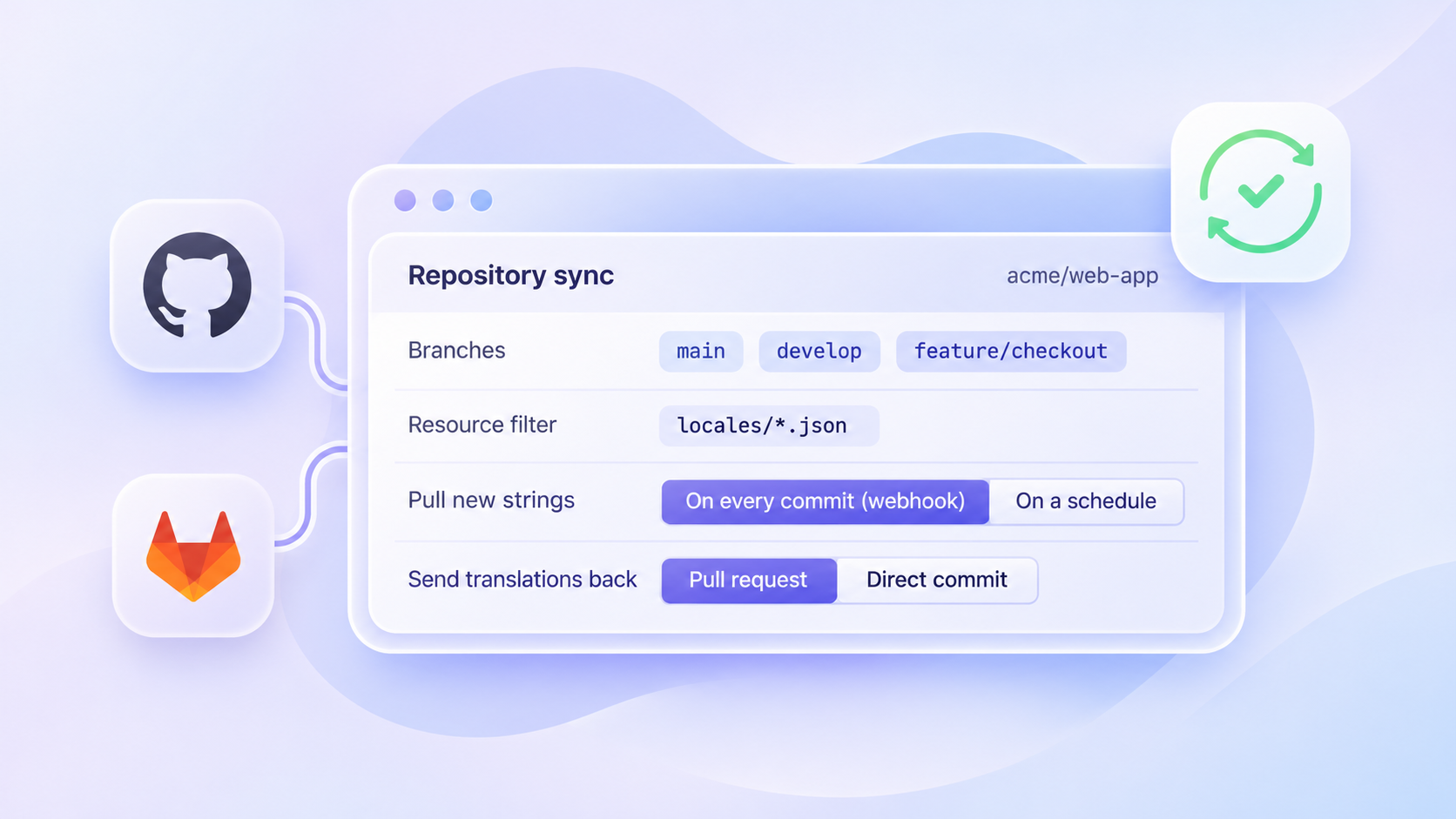
LingoHub connects directly to your GitHub repository and automatically pulls new source strings through webhooks or scheduled synchronization. You choose the repository and branch, then use resource filters such as locales/*.json to specify which files should be included.
Working with multiple branches? LingoHub supports main, develop and feature branches within the same project. That means your team can manage translations across different development stages without creating a separate localization project for every branch.
But syncing files is only part of the process. Once new strings arrive in LingoHub, LINA, our AI translator, translates them using your glossary, translation memory and style guide. Built-in quality checks catch issues such as missing placeholders or incorrect formatting, and LINA attempts to resolve them before the translations reach your repository.
When everything is ready, LingoHub can open a pull request from a dedicated update branch, allowing your developers to review the changes before merging. Alternatively, you can send translations back as a direct commit. If a file contains errors or conflicts occur during synchronization, LingoHub detects the issue and stops the affected sync rather than pushing potentially problematic changes.
And you’re not limited to GitHub. The same workflow is available for GitLab, Bitbucket, Azure DevOps and AWS CodeCommit.
Best for: Development teams working across multiple Git branches that need translations to stay in sync.
Crowdin creates a dedicated service branch, named with an l10n_ prefix by default, and opens a pull request with the translated files. Your main branch remains untouched until your developers review and merge the changes.
Limitation: Translations return to your repository according to the configured synchronization schedule, which runs hourly by default. This means completed translations might not appear immediately.
Best for: Teams that want to decide exactly when translated content gets pushed back to their repository.
Lokalise lets you trigger a translation export manually from its Download page, through the API or using the CLI. Each export creates a new timestamped branch and opens a pull request for your developers to review.
Limitation: If you use Lokalise’s project branching, Git app triggers can only run from the Lokalise master branch. GitHub Enterprise support also requires the “Advanced” plan or higher.
Best for: Larger organizations managing software localization alongside document translation in Phrase TMS.
Phrase Strings connects your repository to its translation workflow and returns completed translations through a pull request, by default from a dedicated phrase-translations branch.
Limitation: According to Phrase’s documentation, the translation branch “cannot be protected”. Synchronization using a personal access token also fails if your repository requires signed commits.
Best for: Teams that want to choose between pull requests and direct commits, depending on their release process.
Transifex automatically imports new strings when your connected branch changes. You can define a translation completion threshold, and once that threshold is reached, Transifex sends the translated files back to your repository.
Limitation: By default, synchronization covers one branch unless you enable Multi-branching. Transifex can also automatically close an existing pull request if translation progress falls below your configured threshold.
Best for: Open-source projects and development teams that prefer self-hosting their localization platform.
Weblate supports GitHub, GitLab, Bitbucket and Azure DevOps, but it doesn’t stop there. You can connect virtually any Git server through its repository URL, making it particularly flexible for teams with custom infrastructure.
Limitation: Weblate’s generic webhook endpoints don’t provide cryptographic authentication, which may be a consideration for teams with stricter security requirements.
Best for: Smaller teams looking for an affordable way to connect translations to their repositories.
POEditor maps your project languages to files in GitHub, GitLab, Bitbucket or Azure DevOps. When developers commit new strings, webhooks can automatically import them into the translation project.
Limitation: Exporting translations creates a commit on your selected branch. Pull request presets aren’t triggered automatically, so you’ll need an additional script if you want that part of the workflow automated.
Best for: Companies already using Smartcat for document translation that also want to manage software strings in the same platform.
Smartcat connects to GitHub, GitLab, Bitbucket and self-hosted Git repositories. It imports source strings for translation and pushes the completed translations back once they’ve been confirmed.
Limitation: Git integration and CLI access are available starting with the “Anticipate” plan, so teams on lower plans need to upgrade.
Best for: Enterprise teams using GitHub that already manage other multilingual content in Smartling.
Smartling’s hosted GitHub Connector sends translations to a separate delivery branch and opens a pull request. You can also configure multiple sets of repository settings within one Smartling project to support different branches.
Limitation: GitLab, Bitbucket and GitHub Enterprise Server need Smartling’s self-hosted Repository Connector or a custom API integration. Unlike the hosted GitHub integration, the Repository Connector doesn’t create pull requests automatically.
Best for: Small development teams that are comfortable adding localization commands to their existing CI/CD pipeline.
Localazy takes a developer-focused approach. Instead of connecting directly to your Git repository, its CLI uploads source files and downloads translations through tools such as GitHub Actions, GitLab CI/CD or Bitrise.
Limitation: There’s no native Git connector managing the synchronization for you. Your team needs to configure and maintain the pipeline that brings translated files back into the repository.
Best for: Developers looking for an open-source localization platform with flexible CLI-based automation.
Tolgee provides a CLI for uploading source strings and downloading translations. You can integrate these commands into your existing CI/CD pipeline and decide when translations should be synchronized.
Limitation: Tolgee manages branches within its own platform, but these don’t automatically correspond to branches in your Git repository. You’ll need to handle that mapping yourself.
All four platforms can connect to GitHub, but the experience differs once translations are ready to return to your code.
The biggest difference is when and how translated files reach your repository.
Crowdin creates pull requests according to its synchronization schedule, while Lokalise lets you trigger exports whenever you’re ready. Phrase supports scheduled exports and workflow-based triggers, such as branch merges or completed translation jobs. Weblate offers another option: pushing translations directly to a branch without requiring a pull request.
Branch management is another important consideration. Crowdin creates a separate service branch for each connected Git branch and can automatically detect new branches based on naming patterns. Lokalise and Phrase, on the other hand, connect to one repository branch per integration configuration.
If your developers regularly work on multiple feature or release branches, it’s worth checking how each platform handles them before choosing a tool. Otherwise, managing translations across branches can quickly become an extra task for your team.
There are two main ways to automate localization with Git: use a native integration or build the workflow into your CI/CD pipeline.
With a native connector, most of the work happens automatically. When developers commit new strings, the localization platform detects the changes and imports them. Once translations are complete, it sends the updated files back, often through a pull request.
A CLI-based workflow gives your developers more flexibility, but also more responsibility. Your pipeline needs to upload source files, retrieve completed translations and commit them back to the repository. Someone on your team also needs to maintain that setup.
Several platforms support both approaches. Crowdin and Lokalise offer GitHub Actions, while Smartcat’s CLI can run through GitHub Actions, GitLab CI or Jenkins. Localazy and Tolgee rely on CLI-based workflows rather than native repository connectors.
Which approach should you choose?
If your team already has a well-established CI/CD pipeline and wants to customize every step, a CLI can be a good fit. But if you simply want new strings translated and returned to your repository without maintaining additional scripts, a native connector is usually the easier choice.
The goal is the same either way: keeping translations up to date without slowing down development.
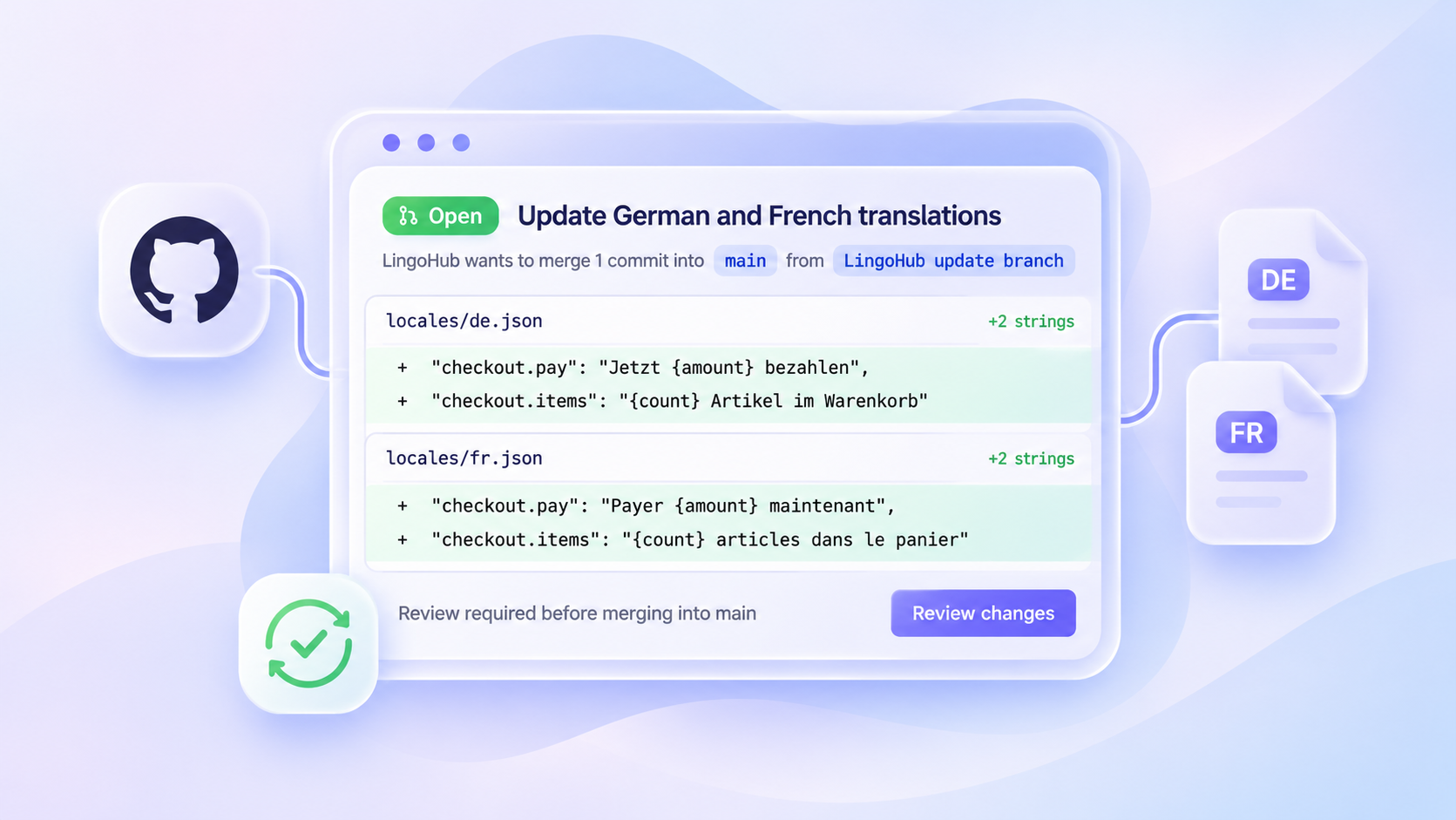
Once translations are ready, they need to make their way back into your repository. Most localization platforms offer two options: opening a pull request or committing the changes directly.
Both approaches work, but they give your developers different levels of oversight.
Pull request | Direct commit | |
|---|---|---|
Who reviews? | Your developers review and approve translations before merging, just like any other code change. | Changes are committed directly without a separate review step. |
Protected branches | Compatible with branch protection rules that require approved pull requests. | May be blocked unless your branch protection rules explicitly allow the integration to push. |
Best for | Main branches, release branches and teams that require code reviews. | Dedicated translation branches or workflows where changes don’t need an additional review. |
For most development teams, pull requests are the safer choice. They keep translations visible, allow developers to catch unexpected changes and fit naturally into existing review processes.
If your team works with multiple branches, our guide to branching and repository integrations in localization explains how to keep translations organized across them.
GitHub might be the most common integration, but plenty of development teams rely on Bitbucket, Azure DevOps or AWS CodeCommit. And that’s where your choice of localization platform becomes more limited.
For Bitbucket, eight of the 11 platforms in our comparison offer native integrations. Smartling requires a self-hosted connector, while Localazy and Tolgee rely on CLI-based workflows.
For Azure DevOps, your options narrow to six platforms with native integrations: LingoHub, Crowdin, Lokalise, Transifex, Weblate and POEditor.
For AWS CodeCommit, the selection is even smaller. After closing the service to new customers in July 2024, AWS reopened CodeCommit on November 25, 2025. LingoHub offers a dedicated CodeCommit integration, while Weblate can connect through a standard Git URL. CLI-based tools such as Localazy and Tolgee can also work with CodeCommit through a compatible pipeline.
If your team uses more than one Git hosting service, choosing a platform that supports all of them can save you from maintaining separate localization workflows.
Yes. Platforms such as LingoHub, Crowdin, Lokalise, Transifex, Weblate and POEditor can automatically import new strings when you push changes to your repository.
The bigger question is what happens after those strings arrive.
In LingoHub, our AI translator LINA can handle the translation and quality checks for you. You can choose how much responsibility LINA takes on for each target language:
LINA as Translator: Translates new strings, runs quality checks and leaves the final review and approval to your team.
LINA as Agent: Goes a step further by reviewing and approving translations automatically. If something can’t be resolved, LINA flags it for your team to handle.
This means your developers can continue working in GitHub while LingoHub takes care of the translation process in the background.
Several localization platforms support both GitHub and Figma, including LingoHub, Lokalise and Phrase Strings.
With LingoHub, you can connect your GitHub repository and Figma designs within the same Platform plan. This allows designers and developers to work with the same translations instead of managing separate localization processes.
Lokalise and Phrase Strings also offer Figma integrations alongside their Git connections. However, on Lokalise, Figma counts toward the number of integrations included in your plan.
Yes, although what’s included depends on the platform.
Weblate and Tolgee offer free self-hosted options, meaning you can run the software on your own infrastructure. POEditor, Localazy and Crowdin also provide free plans, but with limits on usage or features.
LingoHub offers free access for eligible open-source projects and non-profit organizations upon request.
If you’re evaluating localization software for a commercial project, it’s worth comparing more than the starting price. Check which integrations, automation features and usage limits are included before committing to a platform.
The best localization platform isn’t necessarily the one with the longest feature list. It’s the one that fits how your developers already work.
Start with your Git hosting service. Does the platform connect directly to your repository, or will your team need to maintain a custom pipeline? Then consider how translations should return to your code. Do you want pull requests that developers can review, or are direct commits a better fit?
And finally, think about what happens between importing and exporting strings. A Git integration saves you from moving files manually, but combining it with AI translation, company-specific terminology and automated quality checks can reduce the work even further.
Want to see how that works in practice?
Start your free 14-day LingoHub trial with no credit card required, or book a demo and we’ll show you how to connect your repository and automate your localization workflow.

Importance of branching and repository integrations in localization
Discover how LingoHub confidently implements branching for localization. Learn about branching capabilities and Git localization features in our article.

8 best translation management systems for SaaS in 2026
Eight translation management systems for SaaS teams in 2026, compared on what each entry plan includes and how each handles glossary terms in AI.

Continuous localization: sync translations with each release
Continuous localization sends new strings to translators as developers commit them. See how to sync translations with each release and reuse approved work.
