Localization workflows & operations
A step-by-step guide to robust localization processes
Localization workflows & operations
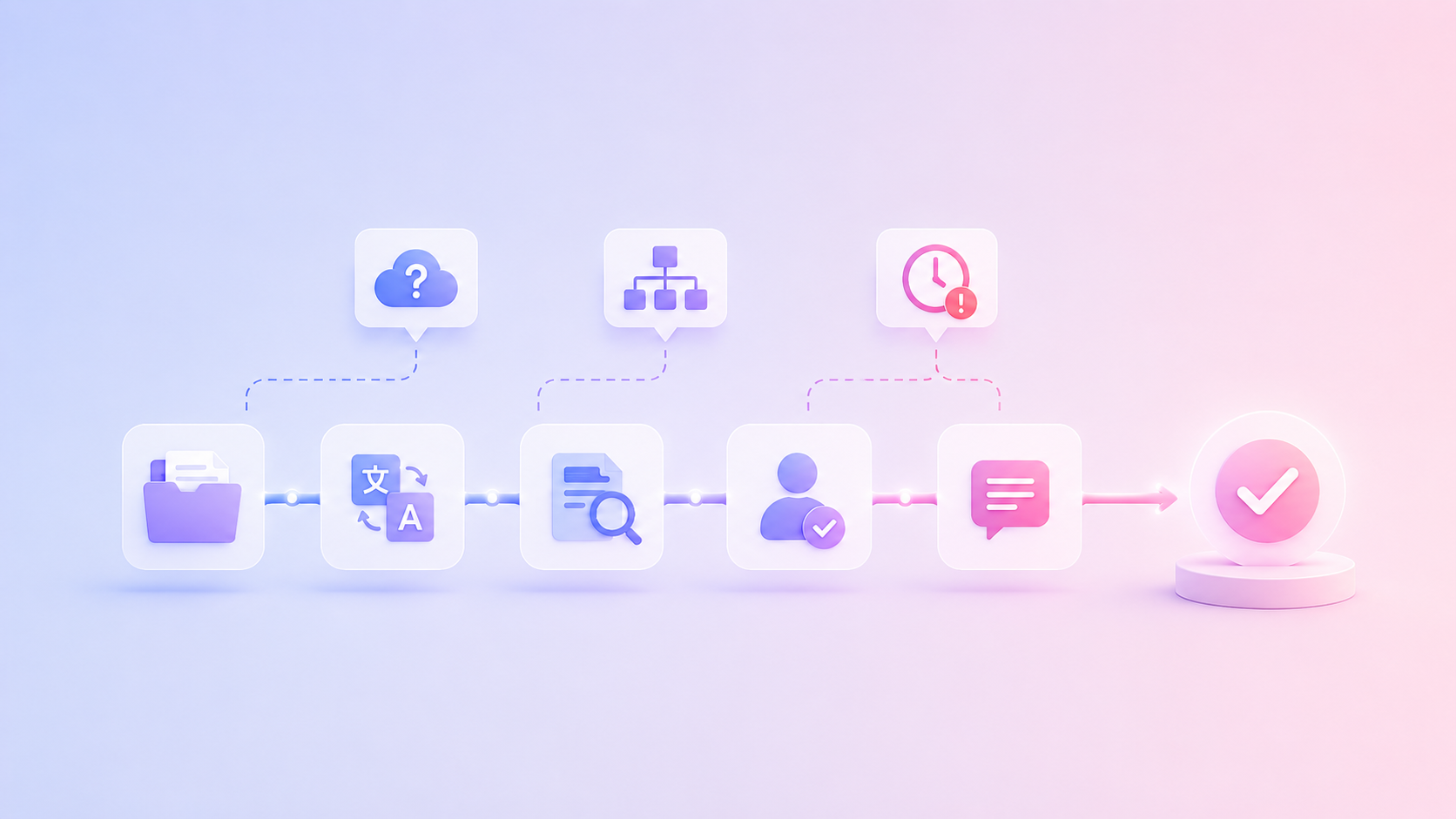
Table of content

Strong localization processes help international organizations turn multilingual content into a reliable workflow instead of a last-minute scramble before launch. They bring structure to content localization, translation, review, quality control, and publishing, so every market receives content that is accurate, usable, and aligned with the brand.
Product managers, marketers, developers, translators, regional reviewers, legal teams, and customer support may all touch the same message. A clear process helps them work from the same source, with the same context, and with fewer surprises close to release.
A localization process is the structured workflow used to adapt content, products, interfaces, campaigns, or documentation for different languages, markets, and cultural contexts.
It includes planning, content preparation, translation, review, quality checks, approvals, publishing, and ongoing updates. In software and digital products, it often also includes file handling, integrations, version control, and continuous content updates.
The abbreviation “l10n” stands for localization. The number 10 represents the ten letters between “l” and “n” in the word localization.
Translation converts text from one language into another. Localization adapts the full experience for a specific market.
A translated sentence can be grammatically correct and still feel wrong in context. It may use the wrong level of formality, ignore local product terms, miss cultural nuance, or create layout issues in a button, headline, or app screen. The following table makes the distinction between localization and translation clearer:
Area | Translation | Localization |
|---|---|---|
Main focus | Language transfer | Market adaptation |
Scope | Text | Text, context, design, product, workflow |
Key question | Is the meaning correct? | Does this work for this market? |
Quality check | Linguistic accuracy | Accuracy, usability, brand fit, technical correctness |
Every localization process needs enough structure to guide the work, without making the workflow heavy. The goal is to make the path from source content to approved localized content clear.
A strong workflow might include:
Scope: markets, languages, content types, channels, and launch dates
Ownership: who creates, translates, reviews, approves, and publishes content
Context: screenshots, audience information, product notes, and usage details
Language assets: glossary, style guide, translation memory, and approved examples
Review: linguistic review, regional review, and subject-matter approval
Quality control: checks for terminology, placeholders, links, numbers, formatting, and length
Publishing: sync back to the product, website, CMS, repository, or campaign system
Improvement: updates to glossary, style guide, and translation memory after each project
The main steps in localization processes are planning, content preparation, context setup, translation, review, quality control, publishing, and continuous improvement.
First, define the markets, languages, content types, and launch goals. A product release, website update, help center article, and marketing campaign may all need different workflows.
Next, prepare the source content. Remove unclear wording, avoid unnecessary idioms, check placeholders, and make sure files are ready for localization. Then add context, such as screenshots, glossary terms, tone guidance, and existing translations.
Step | Goal | Output |
|---|---|---|
Plan (1) | Define scope, languages, owners, and timeline | Localization brief |
Prepare content (2) | Make source content localization-ready | Clean files or content entries |
Add context (3) | Guide translators, reviewers, and AI | Glossary, style guide, screenshots, notes, other context |
Translate (4) | Create localized versions | Translated strings or documents |
Review (5) | Check meaning, tone, terminology, and market fit | Approved translations |
Run QA (6) | Catch linguistic, technical, and formatting issues | QA report or issue list |
Publish (7) | Release localized content | Live app, website, campaign, or documentation |
Improve (8) | Reuse learnings and approved translations | Updated language assets |
Imagine your team is releasing a new feature for customers in English, German, French, and Japanese. The release includes in-app text, a landing page, release notes, onboarding emails, and help center articles.
Every asset follows the same localization process: marketing prepares the campaign, developers sync new strings, translators receive screenshots and terminology, regional reviewers validate tone, automated QA checks placeholders and formatting, and approved content is published simultaneously across all channels.
A localization process usually involves everyone who shapes, approves, or publishes multilingual content.
Marketing owns brand voice and campaign messaging. Product teams own product context, UI copy, and release priorities. Developers manage source files, repositories, integrations, and technical implementation. Translators adapt content into the target language. Regional reviewers check local relevance and tone. Legal and compliance teams review sensitive or regulated content.
Team | Responsibility |
|---|---|
Marketing | Brand voice, campaigns |
Product | Product context |
Developers | Files, integrations |
Translators | Translation |
Reviewers | Market validation |
Legal | Compliance |
Localization manager | Workflow coordination |
Clear ownership prevents the common “who approves this?” problem. Every step should have one owner and a clear handoff.
LingoHub supports this setup with a central workspace for translation projects, roles, review steps, comments, glossaries, style guides, and QA checks. This helps international teams avoid scattered feedback across spreadsheets, email threads, and chat messages.
You prepare localization work by making the source content clear, well-structured, and sufficiently context-supported.
Start with the source text. Remove unclear references, unnecessary wordplay, inconsistent terms, and sentences that rely heavily on cultural assumptions. Strong source content is easier to translate and easier to review.
Then organize files and content sources. Software teams may work with JSON, XML, XLIFF, iOS strings, Android resources, or other localization file formats. Marketing teams may work with CMS content, landing pages, email copy, campaign assets, and documents.
Glossaries and style guides are central to quality. A glossary defines approved terms, product names, forbidden variants, and terms that should stay untranslated. A style guide defines tone, formality, audience, grammar preferences, and language-specific rules.
For a closer look at how TMS, CAT tools, AI translation, terminology, QA, and publishing work together, read our guide to translation software for business workflows.
In LingoHub, teams can manage glossaries, style guides, translation memory, screenshots, comments, and project context in one place, so translators, reviewers, and AI tools get the guidance they need while they work.
Translation, review, QA, and approval should work as connected stages.
Translation creates the first localized version. Review checks whether the translation preserves meaning, tone, terminology, and local relevance. QA checks for issues that are easy to miss manually, such as missing placeholders, inconsistent numbers, character limits, markup problems, spacing issues, or untranslated strings.
For international organizations, quality control in localization processes needs both human judgment and automated checks. Human reviewers understand nuance, market expectations, brand voice, and risk. Automated QA helps catch repeatable issues quickly and consistently.
LingoHub supports this with built-in QA checks, review workflows, glossary validation, translation memory, and AI assistance. Teams can use LINA to support translation, rephrasing, review, and quality checks while keeping human approval where the content requires it.
Automated localization processes use integrations, rules, AI assistance, and workflow automation to reduce repetitive manual work.
For a deeper breakdown of how this works in practice, read our guide on localization automation workflows.
Automation can help teams import source content, detect updates, pre-translate repeated segments, apply translation memory, suggest glossary-aware translations, assign work, run QA checks, and sync approved translations back to repositories, CMS platforms, or other systems.
Automation works best when the workflow is already clear. If ownership, terminology, source structure, or review rules are unclear, automation may simply move confusion faster.
LingoHub supports connected workflows with repository integrations, CMS integrations, translation memory, glossary rules, QA, review steps, and AI-supported translation.
The most common localization process mistakes come from starting too late, missing context, unclear ownership, weak terminology, and poor QA.
Localization becomes difficult when teams wait until the end of a release. By then, source content may still be changing, reviewers may be unavailable, and translators may have little context.
Another frequent mistake is treating translation as a file handoff. A spreadsheet with isolated strings usually doesn’t give enough context to understand where the text appears, who will read it, or what tone it needs.
Inconsistent terminology is another common issue. If one team writes “workspace,” another writes “organization,” and a third translates both differently, customers experience inconsistency. A glossary helps avoid this, especially when multiple teams, languages, and AI tools are involved.
Localization processes change by content type because each format has different risks, owners, and publishing paths.
Common patterns include:
Software localization: resource files, placeholders, screenshots, character limits, branches, and release deadlines
For software teams shipping in short release cycles, continuous translation in agile software development workflows helps localization move closer to product development instead of waiting until the end of a sprint or release.
Website localization: metadata, URLs, headings, CTAs, forms, images, tracking, and local search intent
Marketing localization: campaign message, emotional tone, channel fit, cultural nuance, and regional review
Documentation localization: terminology, version control, technical accuracy, and product updates
Product update localization: release notes, in-app messages, help center updates, and customer emails
Legal or compliance localization: approved wording, regional regulations, claims, privacy text, and final legal review
A website landing page and a product settings label should not follow the exact same review path. The landing page may need SEO and brand review. The settings label may need product, UI, and technical QA.
Localization processes improve when teams turn every project into reusable knowledge.
Approved translations should feed the translation memory. Agreed product terms should go into the glossary. Repeated reviewer feedback should update the style guide. QA issues should inform better source writing, better file handling, or clearer review rules.
LingoHub helps teams build this loop into their daily workflow. Translation memory supports reuse. Glossaries protect terminology. Style guides preserve tone. QA checks catch recurring problems. Integrations keep content connected to repositories, CMS tools, and product workflows. LINA can support translation and review with the context already available in the project.
The result is a localization process that becomes more consistent over time, without making every launch feel like a fresh coordination project.
Build localization processes that keep multilingual content accurate, consistent, and ready for every market. Start free trial or book a demo now.
Localization processes are structured workflows for adapting content, products, websites, software, or documents for different languages and markets. They usually include planning, preparation, translation, review, QA, publishing, and ongoing updates.
L10n is the abbreviation for localization. The number 10 stands for the ten letters between the first “l” and the last “n” in the word localization.
Translation converts text from one language into another. Content localization adapts the message for a specific market, including tone, terminology, format, cultural context, SEO, visuals, and user expectations.
Teams can automate localization processes by connecting repositories, CMS tools, and translation management systems, using translation memory, running QA checks automatically, assigning review steps, and applying AI-assisted translation where appropriate.
Quality control helps catch linguistic, technical, and formatting issues before content is published. It protects terminology, brand voice, placeholders, links, numbers, layout fit, and market-specific requirements.

What are localization automation workflows?
Speed up global releases with localization automation workflows. Automate translation, QA, and delivery while reducing manual work and improving collaboration.

AI localization: Supercharge your translation workflow
AI localization uses artificial intelligence to streamline translation workflows, improve quality, and scale global content faster. Learn more in our blog.

Continuous translation in agile software development
Learn how continuous translation connects agile development and localization workflows to reduce costs, speed delivery, and improve team collaboration.
Translation software in 2026: Best tools and workflows
Explore the best translation software for 2026. Learn how integrations, governance, and connected workflows help teams scale without losing consistency.
