LingoHub for Storyblok: Built for JSON-based content
Developer resources
Table of content

In Storyblok, everything has its place: Headlines, buttons, teaser copy, body text, and supporting content all fit within a clear, modular, reusable structure. This brings order to content operations and makes digital experiences easier to manage at scale. The challenge arises when the same content needs to be translated across languages.
Texts are exported, copied into spreadsheets, cleaned up manually, and stitched back together. In other cases, teams have to fill Storyblok fields one by one, increasing the risk that individual elements are missed.
That’s where LingoHub fits in, preserving Storyblok’s structure throughout automated translation workflows.
Instead of localizing disconnected text fragments, teams can translate Storyblok content within its intended structure, with clear relationships between every element. Headlines stay where they belong, buttons remain connected to the right flow, and product messaging stays in its place within the larger content model. At the same time, LingoHub helps maintain context, terminology, and brand voice through features like glossaries and style guides, so translations stay aligned editorially.
For enterprises and international organizations, that compatibility matters. As content operations grow more complex, manual fixes become more costly. Specialized terminology, multiple markets, recurring modules, and growing content volume all add pressure to the workflow. LingoHub reduces this pressure by working with Storyblok’s JSON-based structure rather than around it.
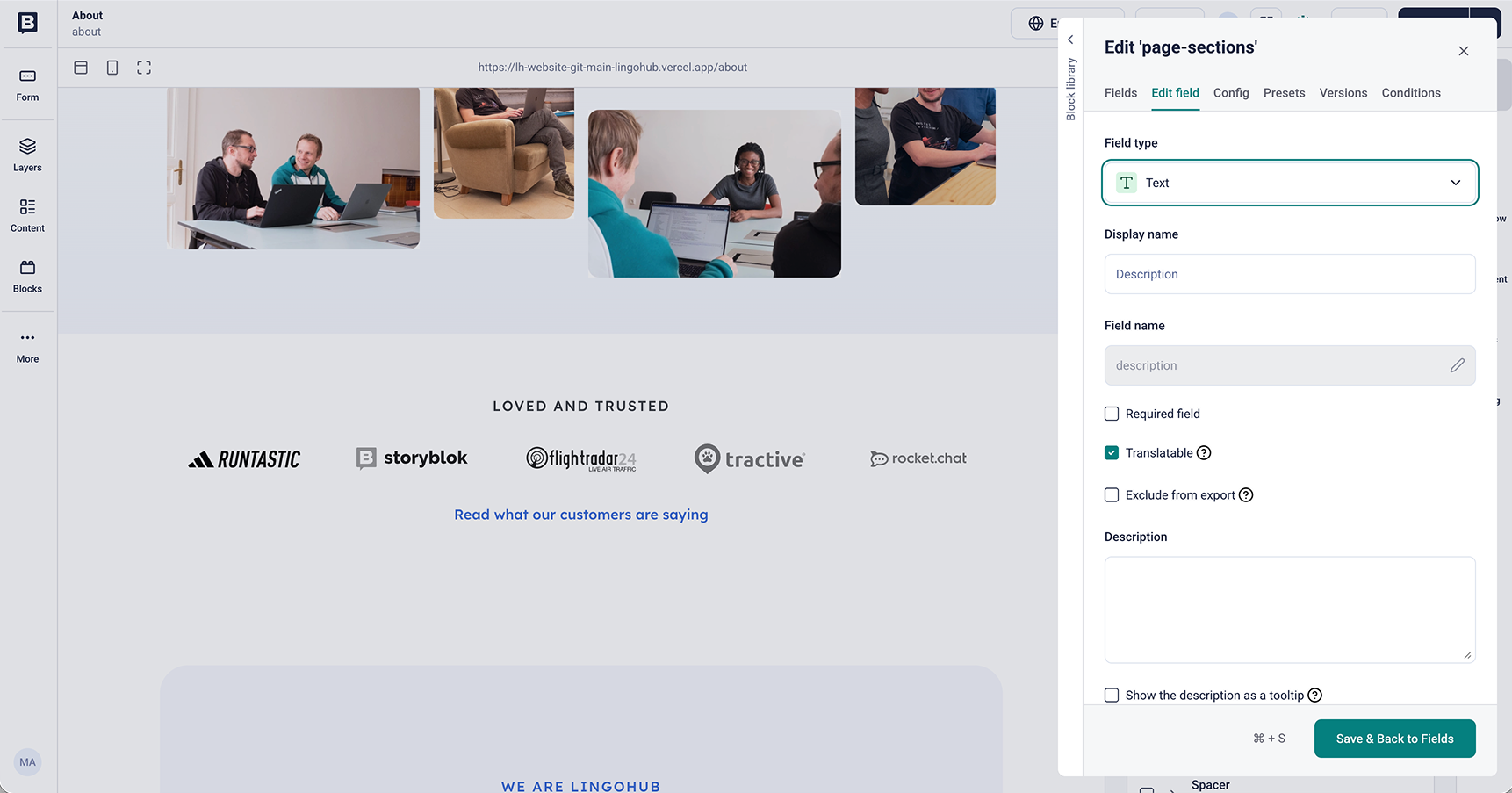
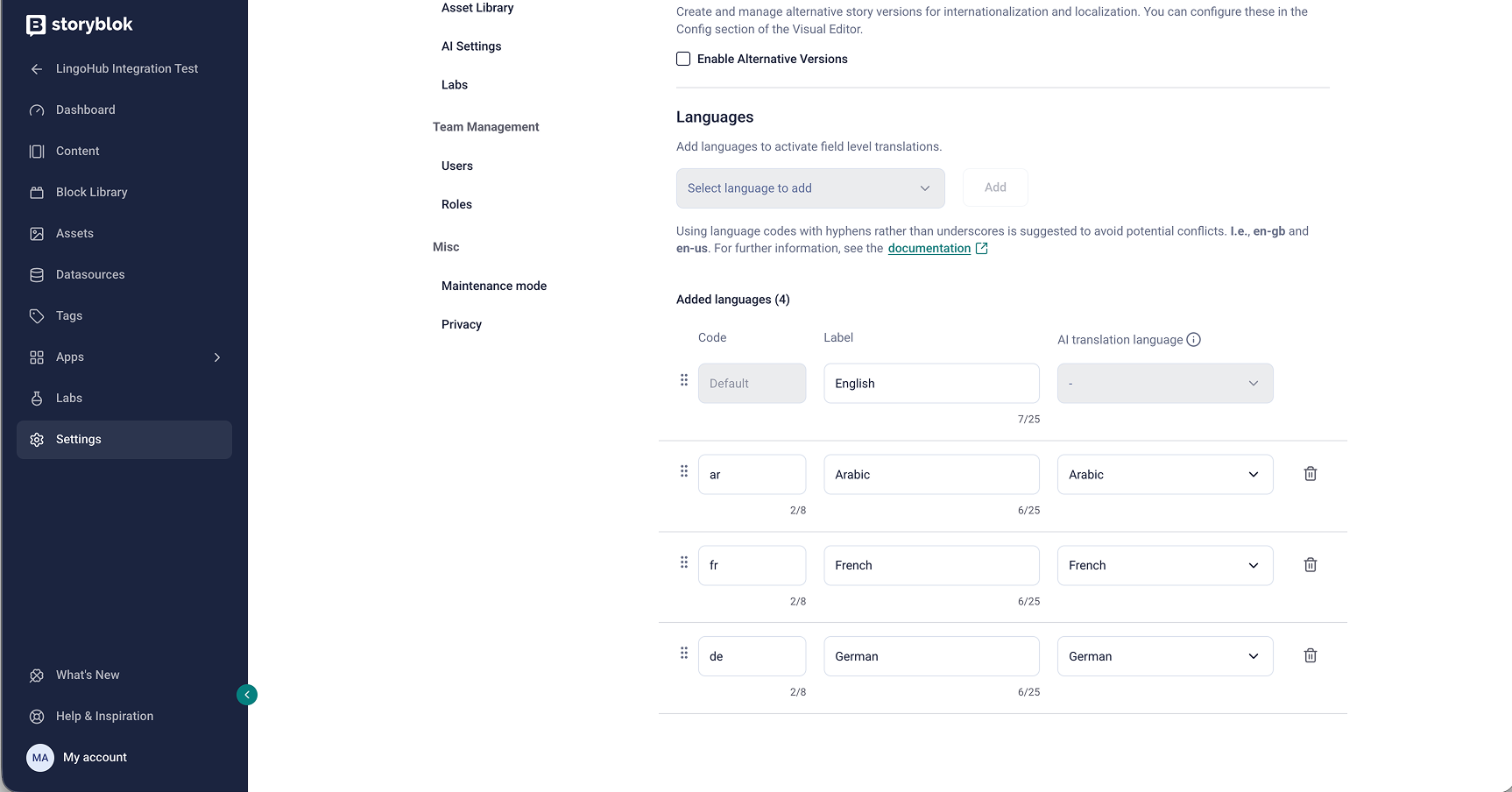
Before translation can begin, Storyblok needs to be set up correctly. In Storyblok, content is organized into blocks and fields. Blocks define reusable components such as sliders, teasers, or text sections, while each block contains individual fields like headlines, body copy, or CTA labels. Any field that should be translated must be marked as translatable, and the required target languages need to be configured in Storyblok’s internationalization settings.
With this setup in place, LingoHub can automate the localization process.
For teams that want a faster, more automated setup, LingoHub supports direct synchronization with Storyblok via the API. The setup follows a clear step-by-step flow: teams first generate a Personal Access Token in Storyblok, add it to LingoHub as a new authentication, and then select the relevant Storyblok space.
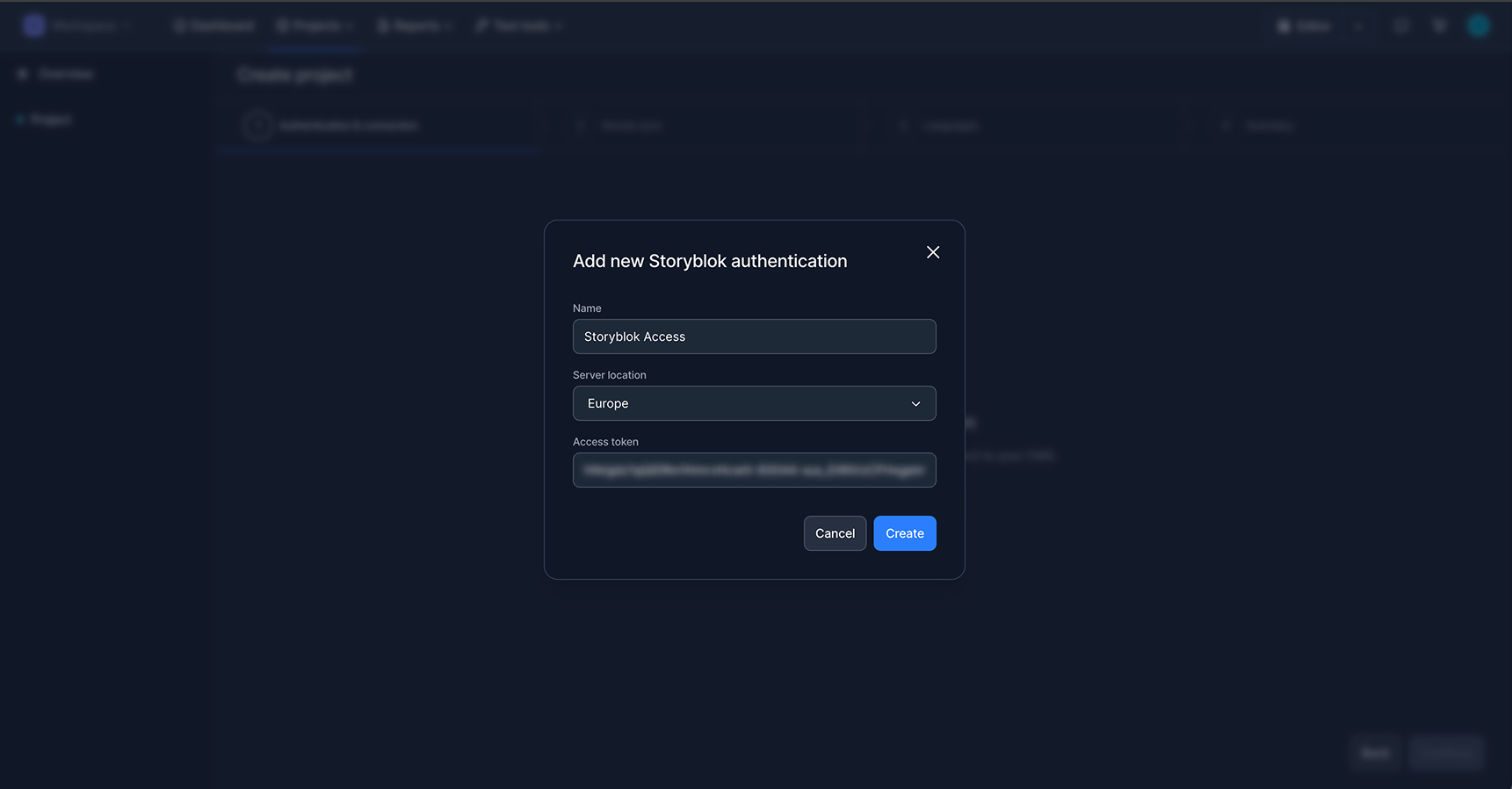
From there, they define which stories should be synchronized by using filters, so only the relevant content is included in the project.
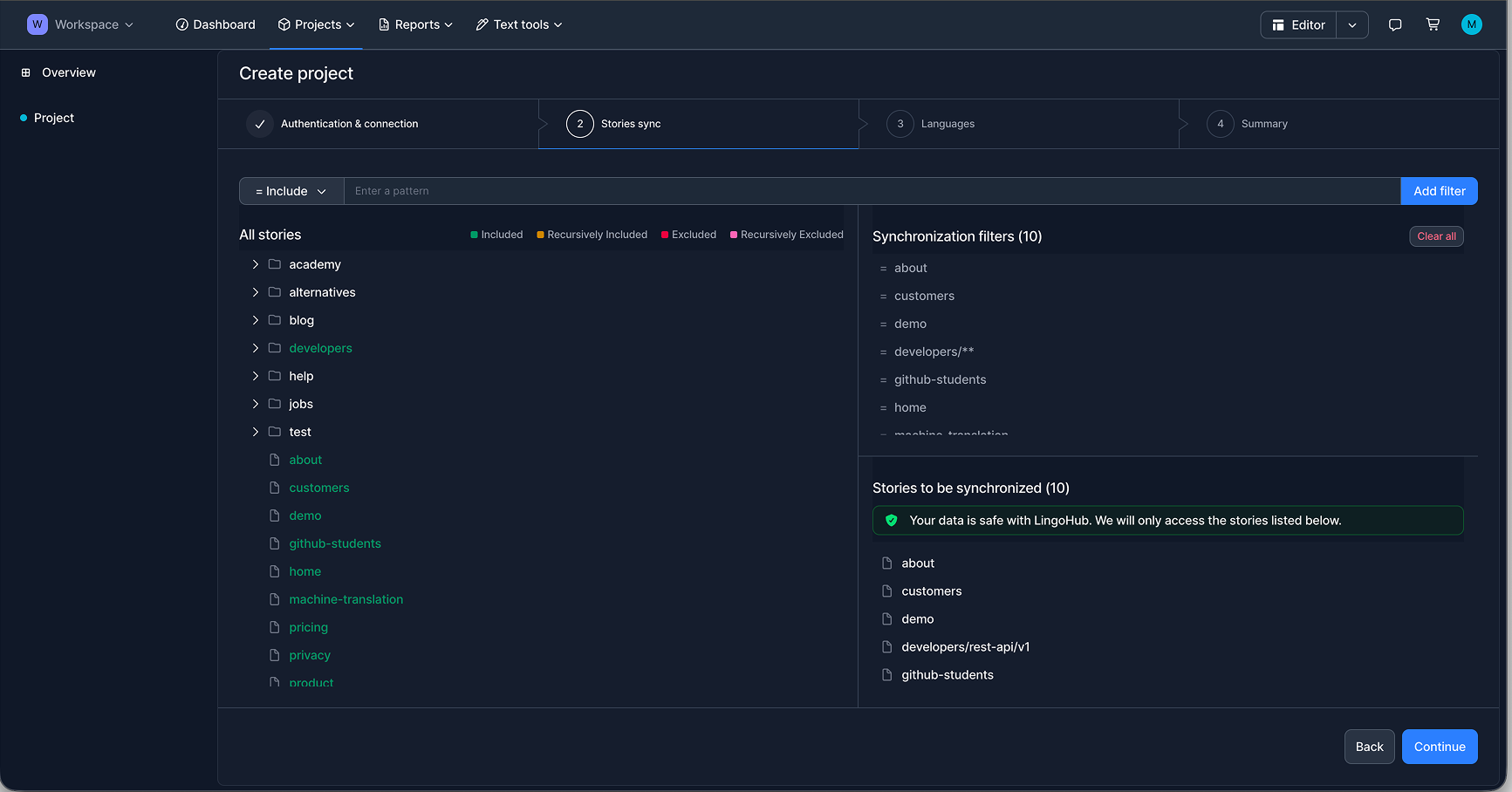
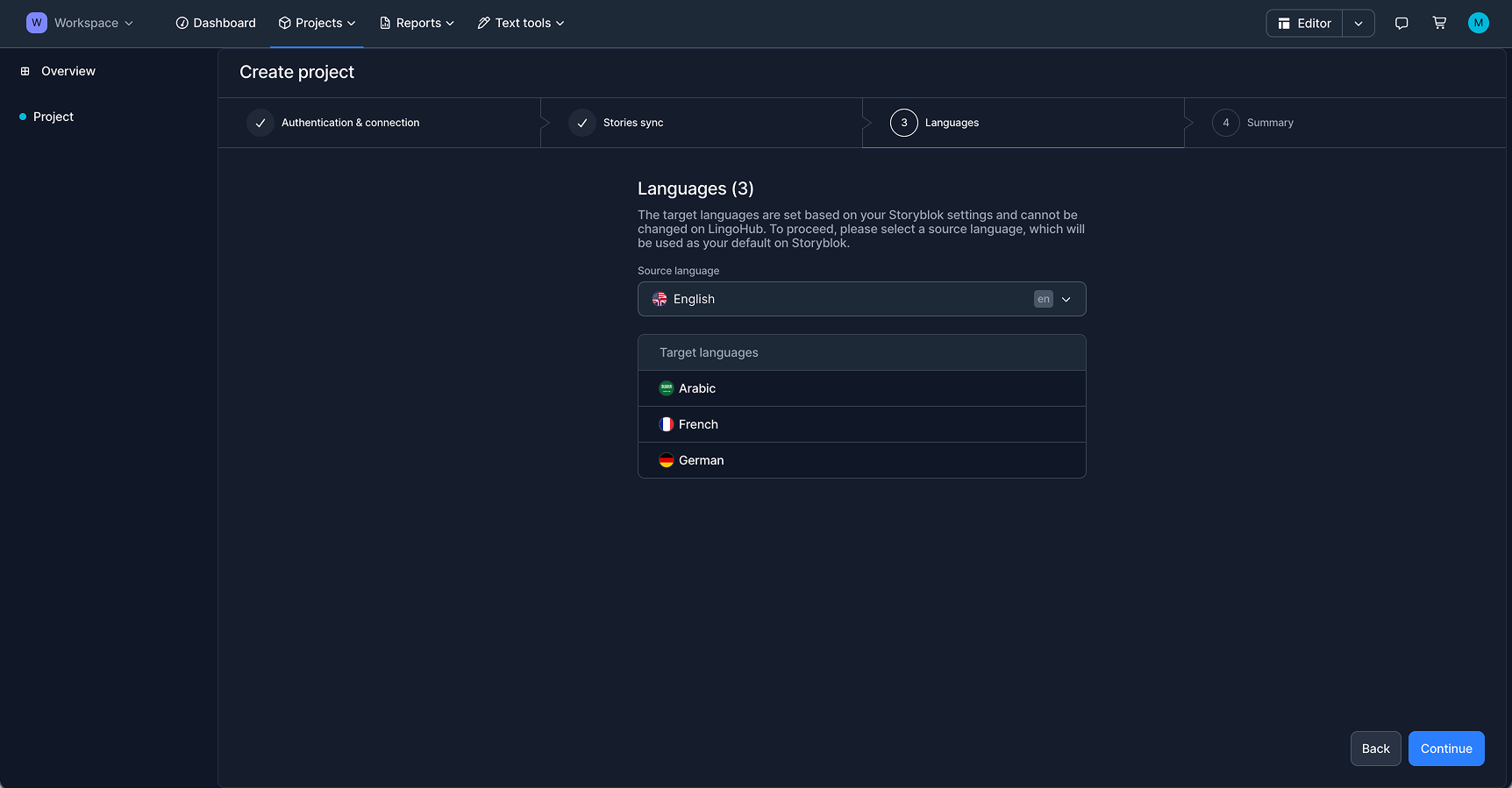
In the next step, the source language and the target language(s) are directly taken from the language configuration already defined in Storyblok or manually selected.
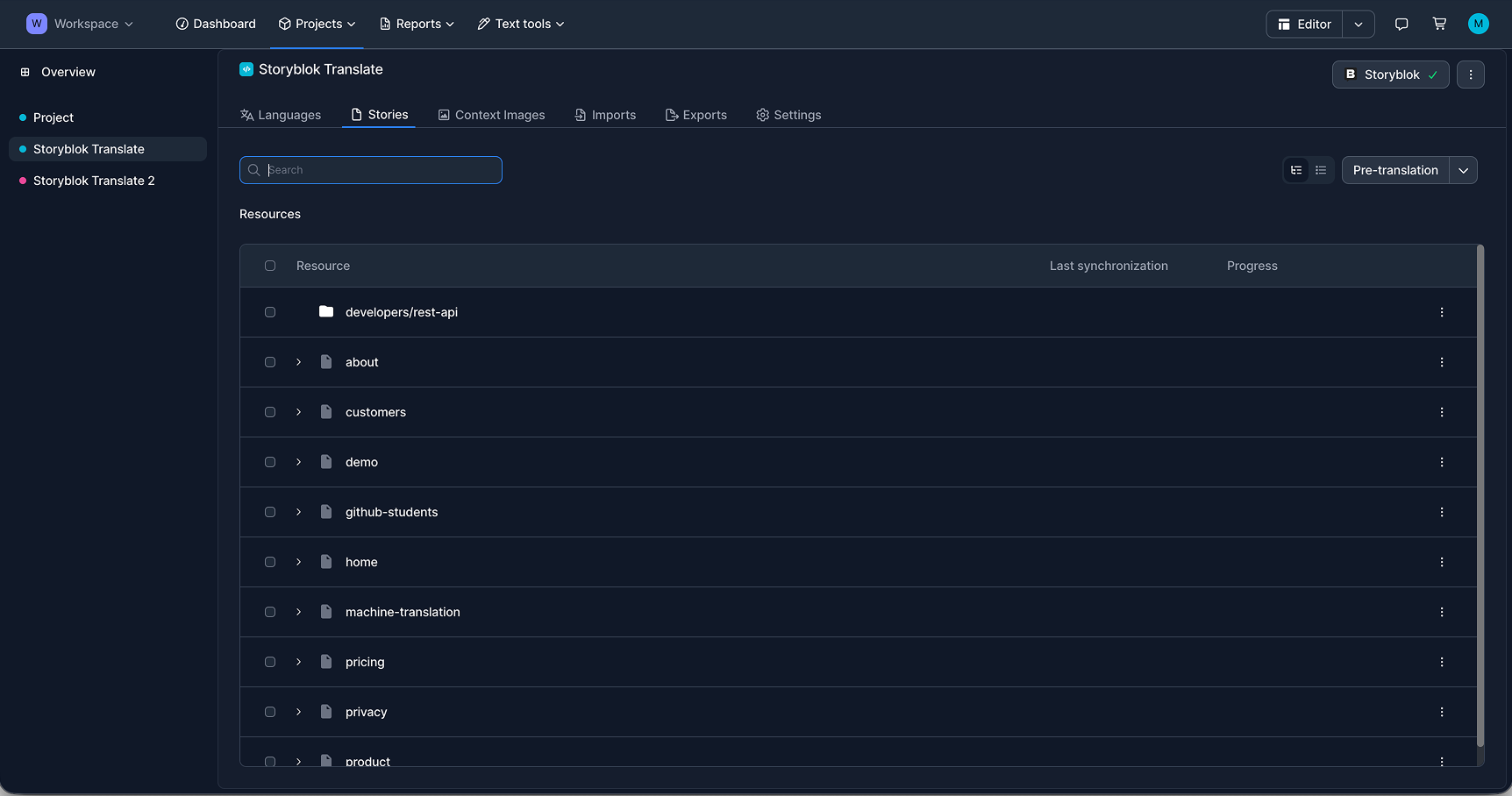
Once the project is configured, LingoHub automatically syncs the selected Storyblok resources and prepares them for translation while preserving the original JSON-based field structure. Instead of flattening content into disconnected strings, the imported content remains organized by story, field, and segment, making it much easier to manage structured localization at scale.
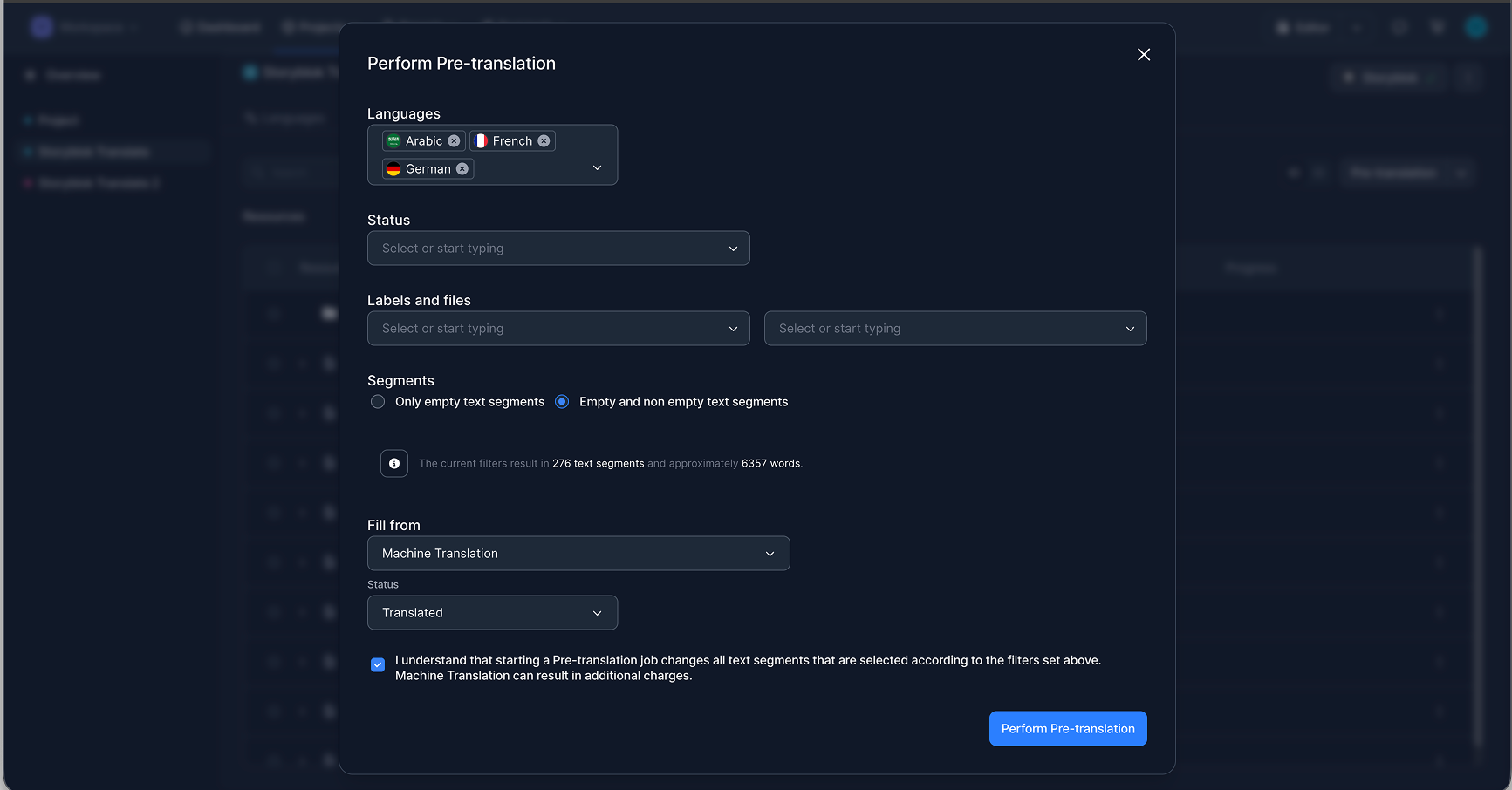
After synchronization, teams can start translation directly in LingoHub. Pre-translation can be used to select target languages, define which segments should be included, and fill them automatically with machine translation or AI translation as a first step.
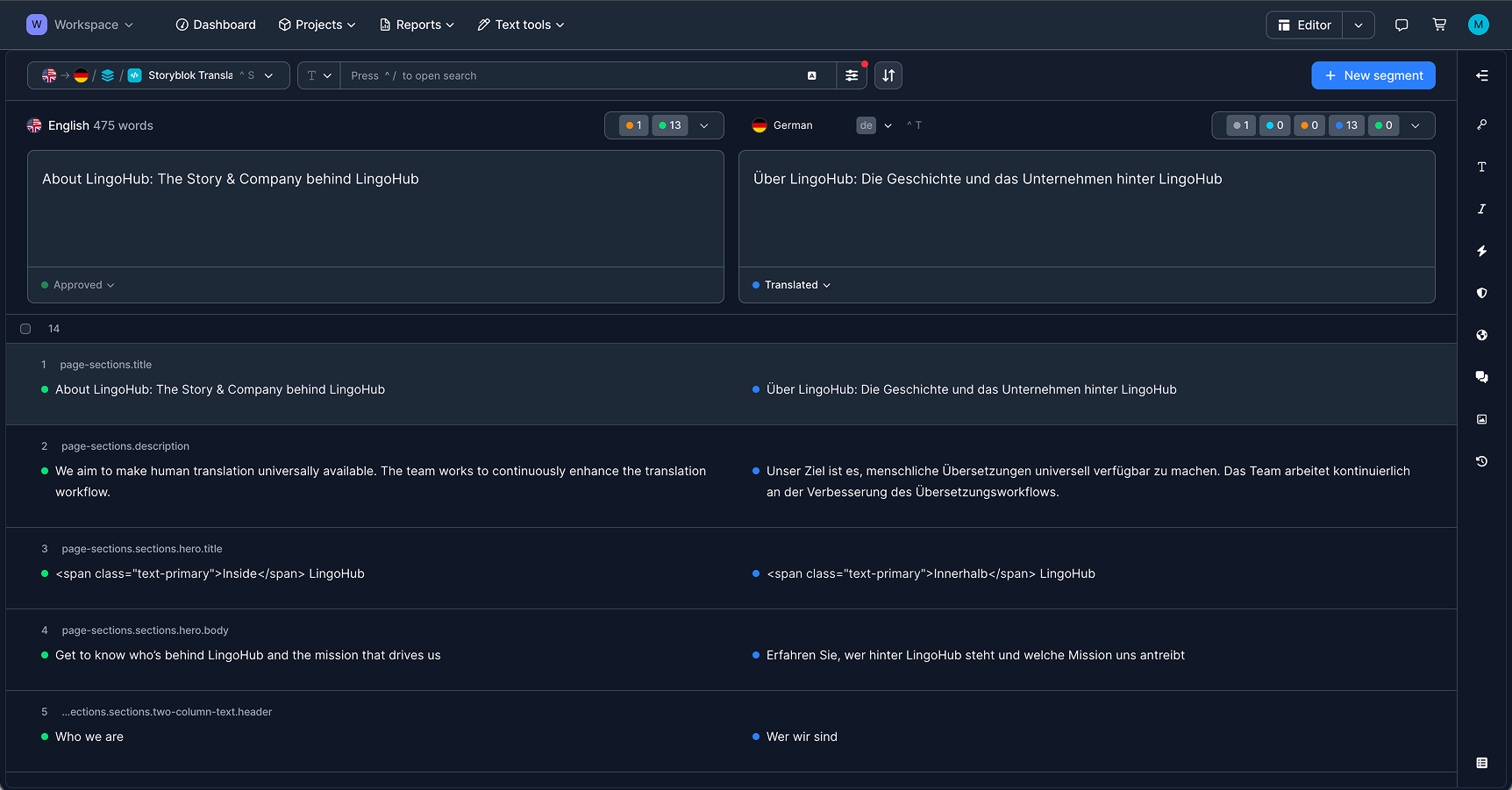
From there, translators and reviewers work in LingoHub’s editor with the source and target content side by side, while Storyblok field keys remain visible in the background. Headlines, body copy, CTA labels, and even inline markup stay connected to their original position in the content model, which makes review more reliable and reduces the risk of missing individual elements.
This structured view also helps teams manage status changes across the workflow, from initial translation to review and approval.
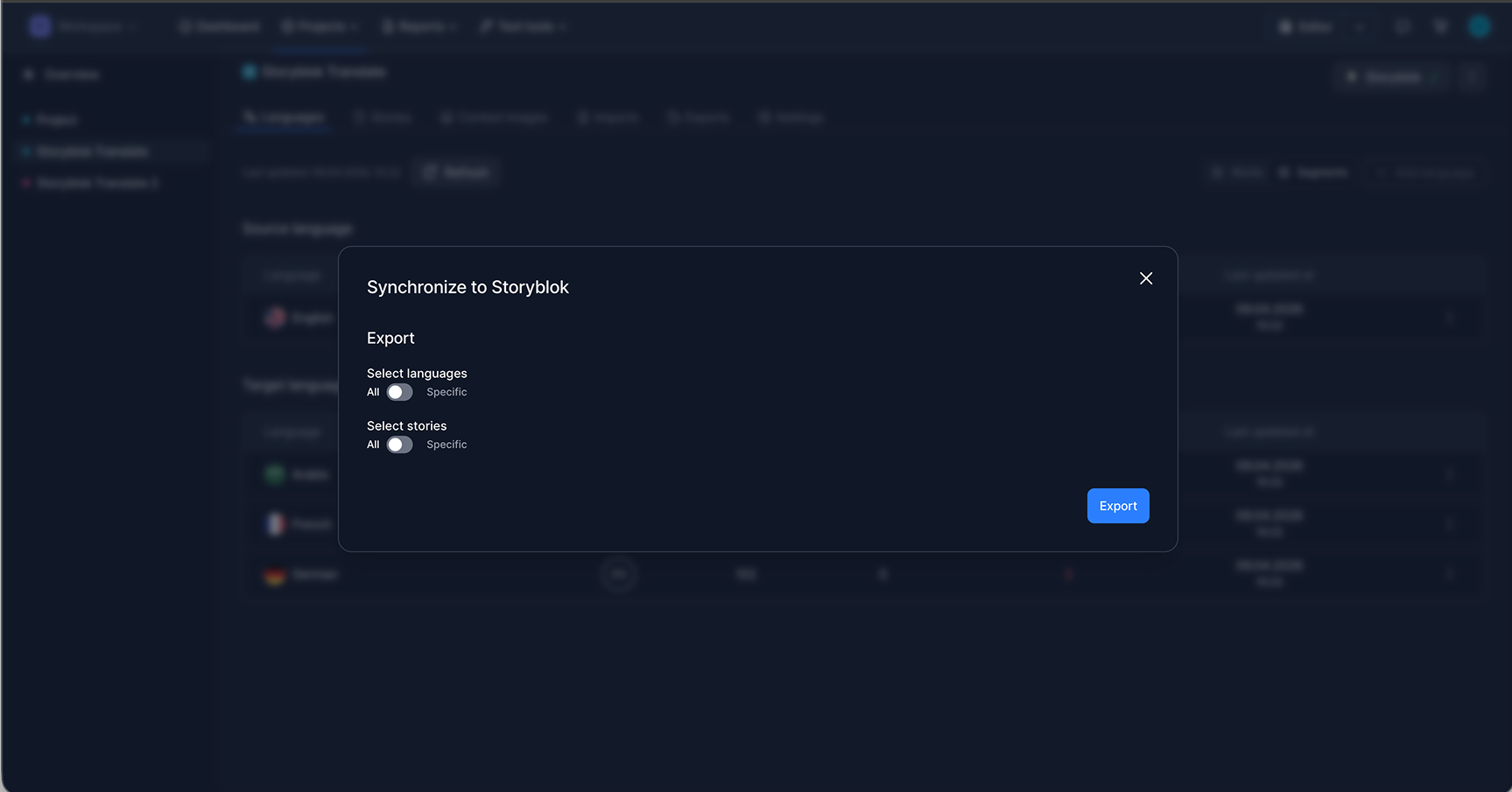
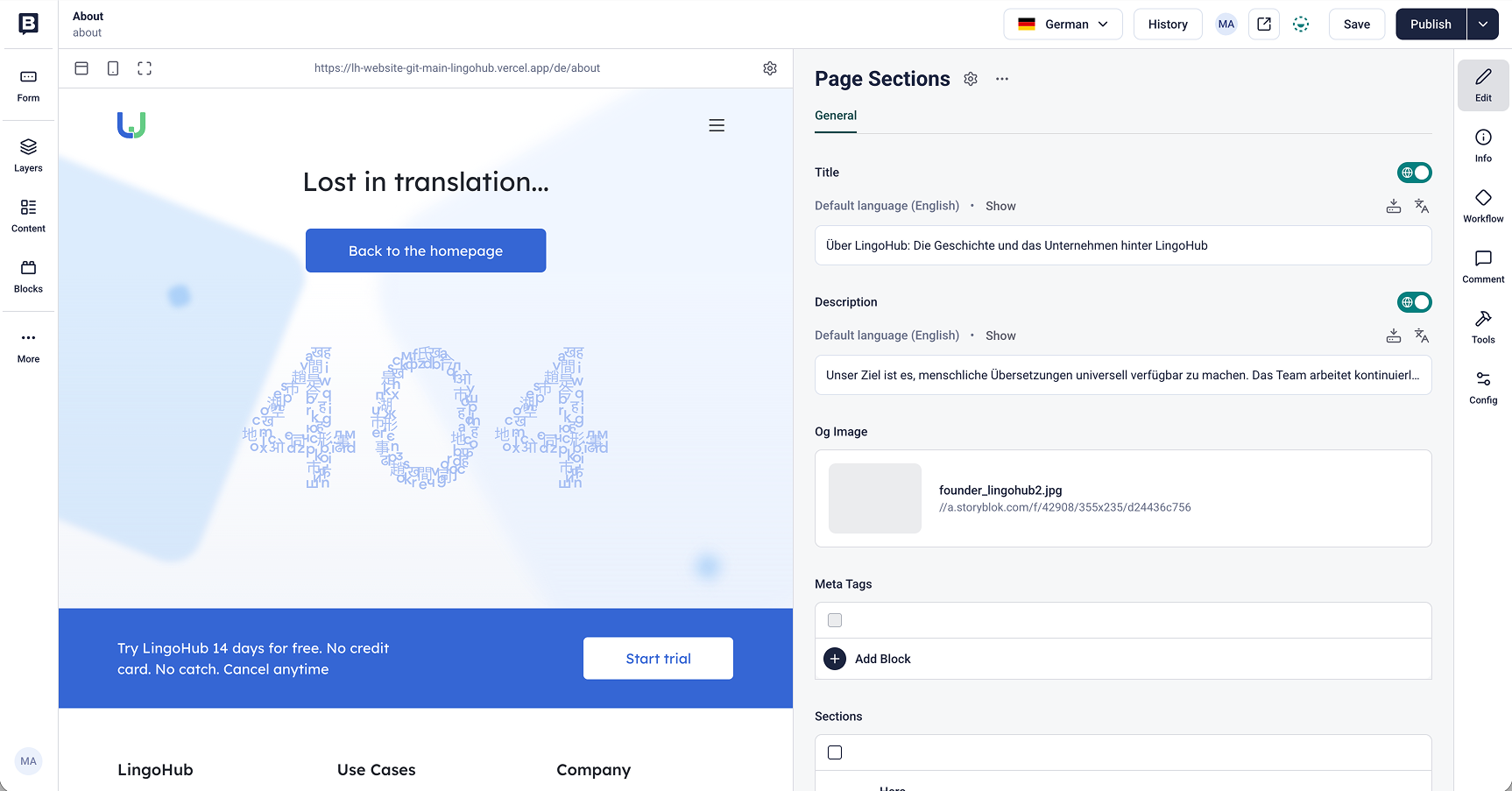
Once the content is finalized, the localized version can be pushed back into Storyblok through the export flow.
LingoHub also supports a file-based JSON workflow through Storyblok’s import and export apps. In this setup, teams export translatable fields from Storyblok as a JSON file, create a project in LingoHub, and manually upload the file for translation.
LingoHub automatically detects Storyblok-specific metadata such as URLs or page IDs and excludes it from translation. This keeps the workflow cleaner and more focused, ensuring that only the actual translatable content is processed. Once translation is complete, teams can download the finished JSON file and re-import it into Storyblok using the corresponding import app.
Both approaches support the same goal: a localization workflow that respects Storyblok’s structure while reducing manual effort for global teams.
Whether your team prefers a direct API sync for continuous localization or a manual JSON export/import for more control, the workflow stays predictable. By mapping directly to Storyblok’s field logic, LingoHub automatically bypasses non-translatable code or metadata, creating a more precise workflow focused only on the content that needs localization.
That value becomes most visible in the content global teams work with every day: headlines, product descriptions, CTA labels, landing page modules, and industry-specific messaging. For Storyblok teams it means less manual cleanup and a more dependable way to manage multilingual content across markets.
Ready to simplify Storyblok localization? Start your free trial or book a demo to see how LingoHub helps teams translate structured content at scale.
Localization of your Storyblok CMS
Want to translate your Storyblok content faster and easier? Read this article to learn the key to success.

Storyblok & LingoHub: Organize your content for the multilingual world
Check out our blog on the Storyblok case study, where we explore how they were able to enhance their localization efforts through the use of LingoHub.
Bitbucket localization integration now available in LingoHub
Learn how to integrate Bitbucket with LingoHub to automate localization file synchronization and streamline multilingual software development.
