Localization workflows & operations
Is Google Translate accurate for localization purposes?
Localization workflows & operations
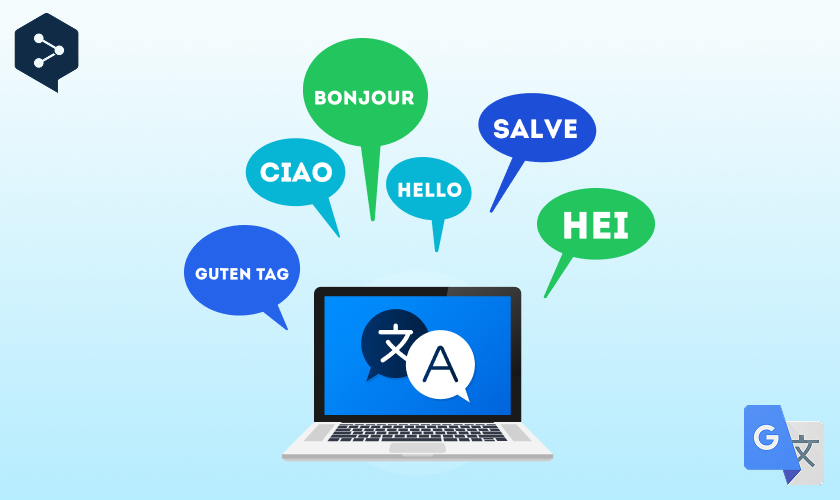
Table of content

If you are asking if Google Translate is accurate, the practical answer is that it depends on the language pair, your content type, and how much risk you can tolerate. Google Translate has improved a lot, especially for everyday text and high-resource languages, but it can still miss meaning, tone, and terminology that matter in product, legal, and brand content.
This article explains where Google Translate is reliable, where it breaks down, and how it compares to DeepL. We will look at whether DeepL is accurate, which tool is usually the better option for which use case, and when a translation management system like LingoHub is a safer way to scale multilingual quality.
Google recently rolled out new Gemini-powered translation capabilities that aim to improve nuance, such as idioms, local expressions, and slang, and to deliver more natural-sounding output across Search and the Translate app.¹
Accuracy is highest when:
The source text is short and literal (UI labels, simple instructions, basic emails): Short, direct sentences leave less room for interpretation, so the model is more likely to choose the intended meaning.
The language pair has lots of training data (common languages, common domains): Popular language pairs and common topics have more examples to learn from, which usually leads to more natural phrasing and fewer errors.
Your content does not rely on brand voice, cultural context, or legal precision: When the stakes are low, and nuance is minimal, small tone shifts or wording choices are less likely to cause misunderstandings.
Accuracy drops in the following scenarios:
A sentence needs implied meaning (humor, persuasion, negotiation). Subtext and intent are easy to flatten in translation, so jokes, emotional tone, and negotiation language can come across as too literal or even misleading.
Words have multiple correct translations depending on context (policy, finance, HR): The engine may pick a valid dictionary, meaning that is wrong for your specific domain, which can change the interpretation of a clause or instruction.
Consistency matters across many pages or screens (product UI, help center, marketing): Even small variations in repeated terms and phrases can confuse users and weaken your brand, especially when content is updated frequently.
Let’s have a look at specific language examples.
For Spanish, Google Translate is often strong for everyday communication, travel, customer support triage, and general business writing. Gemini upgrades also target better handling of nuance like idioms and slang, which helps Spanish output feel less literal.
Where it still needs caution:
Regional variation (Spain vs. Mexico vs. Argentina vocabulary and tone): The translation may sound correct, but it may feel unfamiliar or awkward in a specific market because common words and expressions differ by region.
Formal vs informal address (tú vs usted) in customer communication: Choosing the wrong level of formality can come across as rude, overly distant, or off-brand, especially in support and sales messages.
Brand terminology (product names, feature names, and consistent CTA phrasing): Without enforced terms, the same feature or CTA can be translated differently across pages, reducing clarity and consistency.
Chinese translation quality can be solid for straightforward text, but it is easier to lose meaning because Chinese relies heavily on context, implicit subjects, and compact phrasing. Google specifically lists Chinese among the languages included in its Gemini-powered rollout, which signals active improvements.³
Common failure points:
Idioms and culturally loaded phrases: Literal translations often miss the intended meaning, so the output can sound strange or communicate the wrong message.
Ambiguity when English does not specify who did what: If the source sentence leaves roles unclear, the translation may guess incorrectly and assign the action to the wrong person or object.
Product and legal texts where a single word choice changes the meaning: Small terminology shifts can alter obligations, permissions, or product claims, making review essential.
Japanese can be risky when tone and social context matter. Politeness, role relationships, and business formality often require choices that are not obvious from English alone. Google includes Japanese in its Gemini translation rollout, which helps, but the core challenge remains: “correct” Japanese is not always the “appropriate” Japanese.⁴
Use extra review for:
Support macros and customer emails: A minor tone mistake or an unclear instruction can frustrate users and lead to back-and-forth tickets.
Legal terms, compliance statements, and contracts: Precision matters because wording affects obligations, risk, and regulatory interpretation.
Marketing copy where tone and trust are central: Even if the translation is technically correct, it can fail to persuade if the phrasing sounds unnatural or off-brand.
DeepL has expanded, reaching 100+ languages after launching 70+ new ones, with a focus on scaling quality and user experience across that larger set.²
DeepL tends to be a strong choice when you want smoother phrasing for professional writing, when you translate European languages frequently, and when you need tone controls with editing-friendly output that is easy to refine before publishing.
One reason teams like DeepL is controllable tone. DeepL’s formality feature lets you select automatic, formal, or informal for supported languages, which is useful for sales, support, and HR messaging.³
Still, tone control is not the same as brand voice control. DeepL can produce fluent text that is “well written” but not “your company.”
As always… it depends on your definition of accuracy. DeepL often wins for naturalness and readability in professional text, for tone consistency when formality settings apply, and for a smoother editing flow for writers and marketers. Google Translate often wins on breadth of language coverage, including major expansions of supported languages, and on fast, flexible use cases like Search, mobile, and real-time scenarios powered by Gemini upgrades. For most teams, the bigger question is not which engine is “best.” It is about controlling consistency, terminology, and review.
If you translate a few sentences occasionally, Google Translate or DeepL may be enough. If you ship multilingual products or content at scale, accuracy becomes a workflow problem.
LingoHub helps you improve accuracy by adding the missing layers that raw machine translation and even AI translation tools often struggle with. LingoHub also supports machine and AI translation with state-of-the-art engines like Google Translate, DeepL, Amazon Translate, and OpenAI, so you can combine speed with control in a single workflow.
Translation memory to keep repeated UI and product phrases consistent across releases
Terminology and approved glossaries so brand terms and feature names stay stable in every language
Review workflows so subject matter experts and linguists can approve high-risk strings before they ship
Context for translators so UI strings are translated based on where they appear, not as isolated text
You can still use Google Translate or DeepL as engines within a controlled localization process, rather than copying and pasting translations one by one.
Use Google Translate when:
You need speed for personal use or internal comprehension: It is ideal for getting the gist quickly without spending time on edits or review.
The content is low risk and short: Minor wording issues are less likely to cause confusion in simple, one-off messages.
You work with languages where breadth of coverage matters most: It is a strong option when you need support for many languages, including less common ones.⁴
Use DeepL when:
You want polished writing for business communication: It often produces smoother, more natural phrasing that reads well in professional contexts.
Formality control helps your use case: The ability to choose a formal or informal tone can make customer and stakeholder messages feel more appropriate.
Use LingoHub when:
You need consistent translations across product, docs, and marketing: Centralized memory and terminology help keep the same phrasing everywhere users see it.
You release often and cannot afford terminology drift: Automated workflows and reuse prevent different teams or versions from translating the same concept differently.
You need review, approvals, and traceability for quality: Built-in review steps and version history make it easier to meet quality and compliance expectations.
For low-risk text, sometimes yes. For anything customer-facing where tone, trust, or legal meaning matters, publish only after review. A lightweight workflow is often the difference between “understandable” and “correct.”
If your team relies on copy-paste translation and you see inconsistent terminology or uneven tone across markets, LingoHub can help you turn linguistic processing into a repeatable, reviewable workflow.
Book a LingoHub demo or start a free trial to see how translation memory, terminology control, and collaborative review improve accuracy across every release.
¹ Google
² DeepL Official Website
³ DeepL Support/Help Center
⁴ Google Support/Help Center
AI localization: Supercharge your translation workflow
AI localization uses artificial intelligence to streamline translation workflows, improve quality, and scale global content faster. Learn more in our blog.
AI agents: The 2026 guide for the translation industry
Discover how AI agents are transforming localization by automating translation workflows, improving quality, and helping global teams scale faster in 2026.

LingoHub develops AI agent LINA for the translation industry
LingoHub unveils LINA, an AI translation assistant developed with FH Hagenberg to enhance translation with context, precision, and human review.
